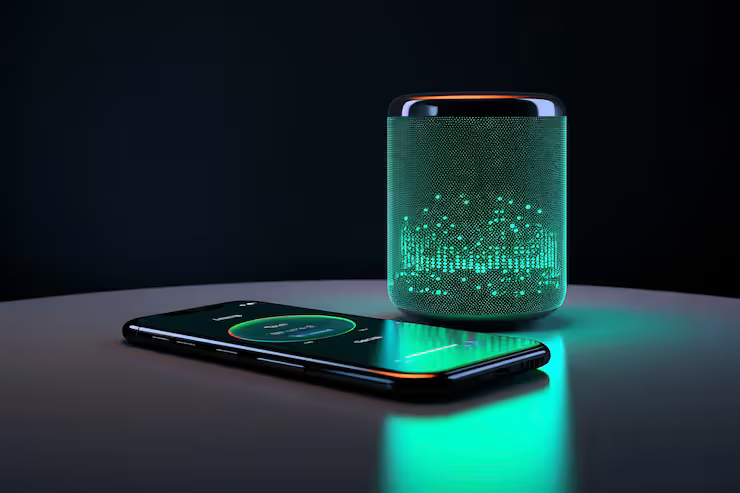
Battery optimization techniques refer to methods used to improve the efficiency and lifespan of a smartphone battery. As modern devices become more powerful, they also consume more energy. This makes mobile battery optimization an essential part of everyday device management.
Just cut wasted energy without slowing things down. If daily chores drain your phone, try fixes that stretch screen time. Lasting longer each day becomes easier when habits shift slightly. Battery wellness improves, not just runtime. Small changes stick better than big promises.
How Battery Optimization Works
Power lasts longer when phones adjust app activity behind the scenes. These changes happen quietly, shaped by how you typically tap and scroll through screens.
Key mechanisms include:
- Limiting background app activity
- Adjusting screen brightness and refresh rate
- Managing CPU and GPU performance
- Disabling unused connectivity features
- Using AI-based learning to predict usage habits
Take smartphone batteries. Tweaking how they work might mean background apps get limited if hardly touched. Or think of downtime - power use drops when nobody's actively using the device.
Battery Optimization Matters
Keeping batteries working well helps right away plus keeps gadgets healthier over time.
Key Benefits
- Lasts longer between charges each day
- Improves overall device performance
- Reduces overheating issues
- Slows battery degradation over time
- Enhances user experienc
- Background apps running continuously
- Location services and GPS usage
- Messages pop up fast. Syncing keeps everything matched across devices
- Poor network connectivity
- Heavy apps like gaming or video streaming
Finding these elements helps people adjust how they use power, cutting waste without extra effort.
Smart Charging Habits Reduce Wear Over Time
Smart Tips to Extend Battery Life
- Limit background app refresh
- Use dark mode on OLED screens
- Turn off automatic syncing in apps that aren’t critical
- Reduce screen timeout duration
From time to time, tweaks can boost how long your iPhone or Android battery lasts. They shape the way power flows, making each charge stretch further. Little shifts add up - over days, performance stays steadier. These parts work together without needing extra downloads or setups.
iPhone Performance Tips
- Slide the switch to turn on Low Power Mode
- Use optimized battery charging
- Monitor battery health in settings
- Disable background app refresh
- Use an iphone battery optimization app for detailed insights
Keeping batteries in good shape becomes easier with these tools. Unwanted energy drain drops when they’re used properly.
Android battery optimization features
Android devices provide flexible and customizable battery optimization phone settings.
Android Performance Tweaks
- Adaptive Battery (AI-based app usage control)
- Battery Saver Mode
- App standby and background restrictions
- Device care and battery usage stats
- Power management apps
Usage habits shape how these tools manage a phone’s power supply. When routines change, adjustments follow without extra steps.
Ways Batteries Get Better
Battery optimization techniques can be categorized into different approaches.
Main Types
- Software-based optimization
- OS-level controls and settings
- Hardware-based optimization
- Efficient processors and battery design
- User-driven optimization
- Some tweaks happen by hand. Others stick around through routine
- AI-driven optimization
- Machine learning to predict usage patterns
One kind helps stretch phone battery life a bit differently than the others. What matters is how each adjusts power use on its own terms. Some shift background activity timing. Others limit screen energy when light changes. A few manage app hunger during idle moments. Each tweak plays a role without copying the rest.
Real-World Use Cases
From phones to cars, smarter power tricks show up everywhere. Though some devices save energy slowly, others cut drain fast. Wherever batteries run things, tweaks help them last longer.
Practical Applications
- Daily smartphone usage
- Travel situations with limited charging access
- Gaming and heavy app usage
- Work stuff plus getting things done
- Remote work environments
Battery life stretches further when phones get smart about power use. Every time, less drain means more hours doing what you need. With tweaks under the hood, steady performance sticks around much longer.
recent trends and developments
Still, battery tuning shifts as tech moves forward. New tools appear, altering how power is managed over time.
Latest Updates (2024–2026)
- AI-based adaptive battery systems becoming more accurate (2025)
- Charging runs smarter now, so heat stays low during quick top-ups. A fresh tweak made late last year cuts strain on cells. Power flows smoother, easing pressure when speed matters most
- Integration of energy-efficient chipsets in newer devices (2025–2026)
- Enhanced background app control in Android and iOS updates (2025)
- Focus on sustainable battery usage and longer lifecycle design
Now phones last longer between charges because updates fine-tune how power gets used. Better control comes from smarter background management instead of draining energy needlessly. Efficiency improves when systems adapt on their own to daily routines. Little changes add up without demanding extra effort. Performance stays strong even as usage patterns shift over time.
Policies and Regulations
Built into battery tuning, meeting worldwide rules happens naturally. Global norms find their match through smarter power use.
Relevant Considerations
- Energy efficiency standards for mobile devices
- Environmental regulations on battery disposal
- Right-to-repair policies encouraging battery replacement
- Manufacturer guidelines for safe charging practices
Improving how things last often means looking out for people too. Safety shifts happen when rules start shaping better habits.
Tools and resources that help
There are several tools available to support battery optimization techniques.
Recommended Tools
- Built-in battery settings in Android and iOS
- Device care and performance dashboards
- Third-party monitoring apps
- Developer tools for analyzing battery usage
- Online learning resources about energy management
A closer look at how you use your phone might come from a battery tool made for iPhones. This kind of software adjusts settings behind the scenes, based on when and how long you tap or scroll. Instead of guessing, it learns what drains power fastest. Some changes happen quietly, without asking each time. Over days, small shifts add up to longer life between charges.
FAQs
What are battery optimization techniques?
Slowing down how fast your phone uses energy often means adjusting which apps run, tweaking settings here and there - sometimes shutting off background tasks without much fuss. A quieter screen, fewer pings, less hunting for signals helps stretch time between charges. Instead of letting everything run wild, small changes add up when it comes to saving juice.
How can I optimize phone battery quickly?
Start with lowering screen brightness to stretch charge life. Battery saver kicks in when power runs low, helping things last longer. Background apps drain energy even when not used - stopping them slows the drop. Every tweak adds up without changing how you use it.
Do battery optimization apps really help?
True, apps made for iPhone battery tuning might track how you use it, then offer tips - yet the phone's own settings tend to do just fine. Though sometimes hidden, those native options adjust power without extra downloads. While third-party helpers exist, they rarely beat what Apple puts in place already. Real gains usually come from habits, not software add-ons.
Battery tweaks - do they slow things down?
Occasionally, speed dips a bit when cutting energy use, yet today’s setups handle both without much trouble. Power savings sometimes mean slower operation, still most current devices manage the trade well.
How often should I optimize battery usage?
Most gadgets handle phone battery tuning without help. Small tweaks every so often still matter though.
Conclusion
Smartphones last longer when battery use stays smart. Power slips away fast without careful habits. Still, small changes make a big difference over time. Instead of draining quickly, devices keep going through the day. Watching what eats energy helps avoid constant charging. Some settings run quietly but take too much juice. Yet adjusting them brings steady results. People notice fewer shutdowns at bad moments. Even background apps shape how long charge lasts. Through mindful tweaks, performance holds strong.
Starting with small tweaks such as screen dimming, phone battery tuning keeps shifting forward. Not just iPhones but even Androids gain when smart tech helps stretch power. Better run time shows up through steady fine-tuning. Longevity follows those who keep things adjusted. A dependable gadget often begins with how well it manages energy.




