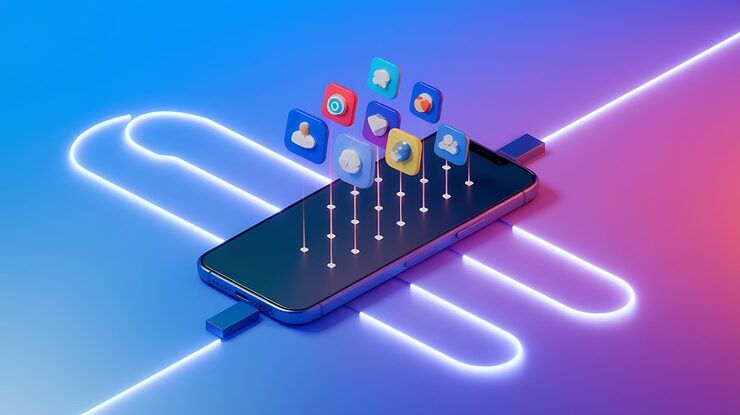
Smart mobile links are digital connection methods that allow users to move between devices, apps, and online content more efficiently. These links support seamless communication between smartphones, computers, applications, and websites. As mobile ecosystems continue to grow, technologies such as phone link systems and mobile deep linking are becoming essential for everyday digital interaction.
Connecting your phone to another gadget gets easier when a link feature steps in. Some platforms let messages pop up across devices once linked together. Operating systems today often come with tools that mirror alerts straight to bigger screens. File sharing happens smoothly, sometimes without extra taps needed. Syncing apps between gadgets works behind the scenes most times.
While phones keep evolving, tapping a clever link now skips the starting point. It lands you straight into one exact spot - maybe a menu, item, file, or tool - buried in an app. Not every shortcut does that; most still dump you at the front door.
With these tools, getting around feels smoother. They make tasks faster because they cut out extra steps. People stay involved more easily when things work without hassle. Less clutter means less confusion every time you click.
Smart Mobile Links Explained Simply
Most phones handle clever web shortcuts by using locked-down messaging rules together with software recognition layers. Tapping one of these links makes the device check where it should go before sending the command right way.
Most times it goes like this:
A web address points to where an app lives - this is URL mapping. Ownership of an app gets confirmed through app association checks. Phones link up with bigger screens using device synchronization tools. Targeted spots inside apps open fast thanks to deep link routing tricks. Messages, files, and alerts stay in step via cloud integration methods.
A connection between phones on Android usually runs using Bluetooth, sometimes Wi-Fi, occasionally syncing through the cloud. From a second gadget, handling calls happens easily after pairing begins. Messages show up there too, viewable without touching the main phone. Notifications appear across devices once the tie is active. Photos move over quietly in the background, ready when needed.
App links on Android today include verification steps that block fake redirects. These checks help keep users safer when opening links. Verified connections stop shady sites from hijacking app launches. Security gets stronger because apps must prove they belong to a site. Without approval, links go nowhere near the app.
Smart Mobile Links Matter
Across gadgets and software, smart links help things run more smoothly. Devices talk better when connection tech works quietly behind the scenes.
Benefits include:
Improved User Navigation
- Getting to content takes fewer moves. Less hopping around means less hassle. Fewer clicks stand between you and what you need. Moving through gets simpler each time. Shortcuts grow naturally into the flow. Each detour fades away slowly. Reaching things feels smoother, almost by accident
- Jump straight into certain parts of an app right away
- Simplifies app transitions
Better Productivity
- Enables cross-device communication
- Allows users to access phone content from computers
- Supports notification management
Enhanced User Engagement
- Keeps users inside mobile apps
- Improves interaction rates
- Reduces abandoned sessions
Faster Information Access
- Opens targeted content directly
- Improves app usability
- Supports real-time workflows
For companies, teachers, coders, and everyday phone owners, deep links bring real benefits. Not just convenient but useful in ways people often overlook. They connect pieces that usually stay apart. What stands out is how smoothly they fit into different needs. Their worth shows up quietly, across many situations.
Smart Mobile Link Types
These days, different types of clever phone link methods show up everywhere. Smart links on mobile devices work in various ways people often see now.
Type Purpose Standard Deep Links Open Specific App Page Deferred Deep Links Work Without App Installed Universal Links Enable Web To App Routing On IOS Android App Links Confirm Ownership Of App Cross Device Phone Links Connect Phones And Computers
Most times a phone link app handles syncing between gadgets. On the flip side, deeper links push users faster through apps, boosting how much they interact.
Phone Link Apps and Android Connections
Most people grab a phone link download when they want their Android talking to a PC. Communication flows easier now, yet files still move without needing hands-on steps every time.
Features often include:
Messaging Synchronization
- Messages arrive silently. Open them whenever you like. Type replies slowly or fast. Send when ready
- Manage notifications
- View multimedia content
File Access
- Move pictures along with video files
- Access documents remotely
- Share files across devices
Call Management
- Handle phone calls from computers
- Access contact lists
- Monitor recent communication history
App Mirroring
- Open mobile apps on desktop displays
- Use keyboard shortcuts
- Improve multitasking
Phones now tie into apps more than ever, showing how people rely on linked tools. A single system that works across devices matters much more these days.
Connecting Mobile Apps Through Direct Links
Deep linking on phones changed how apps work together. What started as a small fix now shapes navigation. Inside every tap could be a doorway. Hidden paths connect pieces users never see. Each jump between apps feels smooth, almost accidental. Behind that ease sits careful design. Jumping from one place to another just works. Not magic - just smart structure doing quiet work.
Deep links drop people right where they need to be inside an app, skipping the main screen entirely. Efficiency rises when fewer steps are needed - users tend to stick around longer because of it.
Examples include:
Deep link destinations vary by app type including product pages in shopping apps account sections in banking platforms specific lessons on education services selected videos in streaming services and reservation details in travel applications
Navigation gets more dependable when developers tie into Android through app links, all without dropping safety measures. While building smoother paths inside apps, connections rely on system rules to stay protected. Through these links, movement across screens feels tighter - security stays built in by design. Staying within guidelines helps teams keep user steps secure, yet fluid. Each step forward uses the platform's own framework to balance access with control.
Security and Privacy Considerations
Links on phones need strong care for safety plus clear rules about private info.
Potential risks include:
- Unauthorized redirects
- Phishing attempts
- Data interception
- Fake application links
These days, safety improves because tools check identities while messages stay locked down.
Important security measures include:
Verified App Associations
- Confirms app ownership
- Prevents malicious redirects
- Improves trust
Encrypted Connections
- Protects transferred data
- Secures cross-device communication
- Supports privacy compliance
Permission Controls
- Limits unauthorized access
- Allows user-managed settings
- Improves transparency
These days, some apps that connect phones come packed with strong privacy options. As a result, people gain better control over who reaches their devices. Settings let adjustments happen without hassle. With added layers, unwanted entry gets blocked easier. Control shifts toward the user slowly but surely.
Rules and Policy Thoughts
Mobile links that work well need to follow rules about personal information online. Privacy laws shape how these connections behave across devices. Staying within legal lines matters when sending users places digitally. Rules around data control what link systems can do. How phones connect smartly depends on respecting user info boundaries.
Common policy areas include:
Regulation Area. User Consent Needs Permission For Data Access. Data Protection Secures Information Transferred. App Verification Stops Malicious Redirects. Privacy Transparency Explains How Data Is Collected
When building apps that use deep links, coders usually check rules set by system makers like Android or different phone platforms.
When rules are followed, people feel more confident. Safety grows when users know what to expect.
Tools and resources for learning
Tools exist that make sense of how phones link things together. Some work behind the scenes, others show what happens step by step. Each one tackles part of the puzzle in its own way. Through them, patterns start to appear where confusion once lived.
Development Platforms
- Android Studio
- Firebase Dynamic Links alternatives
- App association validators
Learning Resources
- Android developer documentation
- Mobile UX research platforms
- Cross-device integration tutorials
Testing Utilities
- Link verification tools
- App routing simulators
- Analytics dashboards
Looking up tools to grab phone links? Stick to known sources that run checks on apps before release. Verified marketplaces cut risks when installing new software.
Problems with Smart Phone Links
Even with clear advantages, tech hurdles remain for smart connection setups.
Common issues include:
Compatibility Problems
- Different operating systems behave differently
- Some devices limit background synchronization
- Mistakes in setup can lead to breakdowns
- App updates can disrupt routing paths
Security Concerns
- Fake links may imitate trusted sources
- Poor permissions management creates vulnerabilities
- Slow routing affects usability
- Excessive notifications reduce efficiency
Still pushing updates, devs tweak how Android handles app links to tackle lingering issues. Though fixes roll out slow, each version sharpens performance where it counts. Behind the scenes tweaks aim at smoother handoffs between apps and web paths.
Smart mobile links evolving
Smart links might evolve through AI tools instead of manual inputs. Automation could shape how phones connect tasks. Ecosystem bonds may grow tighter over time.
Expected developments include:
- Smarter predictive linking
- Better wearable device integration
- Improved desktop-mobile synchronization
- Enhanced privacy controls
- Faster cloud-based communication
Faster connections shape how we stay in touch, so tools that tie phones to daily tasks keep changing. With people relying on handheld screens for jobs and chats, updates to linking features won’t slow down.
Frequently Asked Questions
What is a phone link app used for?
One way to bridge phones and gadgets like laptops is through a linking application. Not just limited to calls, it pulls alerts, texts, documents into one place. Working across screens, control shifts where you need it most. Instead of grabbing your handset each time, responses happen on larger displays. Seamless? Only if signals stay strong between them.
How does mobile deep linking work?
Inside an app, reaching a precise spot happens faster when links point directly there instead of the front door. Getting around feels smoother because of it.
What is app link android technology?
With App Link on Android devices, apps open web addresses safely by matching them to trusted locations inside the app. Because of this match, users move between links and app screens without interruptions. Sometimes a connection fails, yet most attempts succeed thanks to strict verification. Security tightens when only approved paths respond to clicks. Routing becomes predictable since the system checks every destination ahead of time.
Is mobile deep linking secure?
Security shows up in mobile deep linking if developers stick to trusted app links, send data through encryption, then handle permissions carefully.
Why do users search for phone link download tools?
Most people look up ways to get a phone link app so they can pair their mobile device with a desktop, sharing messages or moving files around. Pairing these gadgets helps some handle tasks faster, linking two screens into one workflow. It connects your handheld machine straight to a larger display, making certain jobs easier without extra steps.
Conclusion
These days, getting around on phones often depends on clever link tricks. Moving between apps feels smoother when tools like Android app links step in. Phone linking systems tie gadgets together so info flows without hassle. Deep links make jumps inside apps happen fast - no extra taps needed. What looks small actually shapes how people use tech every day.
One step ahead, these setups speed up tasks while boosting interaction through smoother platform links. With shifting privacy rules, growing use of artificial intelligence, and devices that work closer together, clever phone-based connection tools are set to grow sharper - spreading further without slowing down.
From small shops to coders to people checking messages at home - smoother clicks and connections come alive when tech links things smartly. Hidden pathways open up, quietly guiding actions without fuss or extra steps along the way.