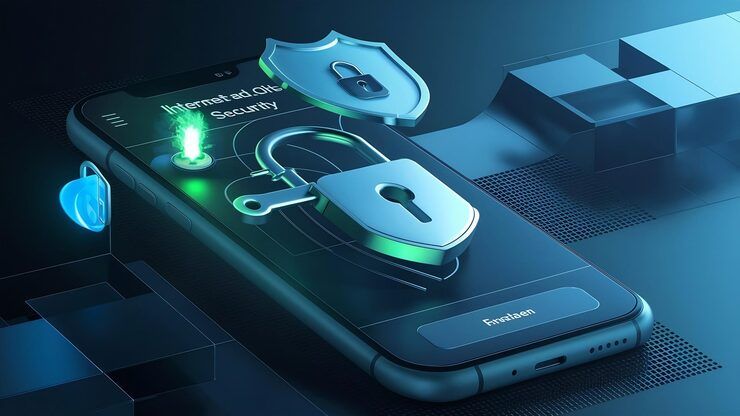
iOS security features are designed to protect user data, prevent unauthorized access, and ensure safe device usage. These features operate at multiple levels, including hardware, software, and cloud services, creating a layered security system. For users exploring an app scan iphone process or looking for a reliable security app for iphone, iOS provides built-in tools alongside compatible third-party solutions.
Security tools work to keep data accurate while blocking threats like scams, viruses, or hidden surveillance. Built with privacy at its core, the iPhone stands out because basic settings already offer solid defense.
Inside iOS security design
Protection on iOS begins with solid hardware, built to resist tampering. Yet it's the strict software rules that lock things down further. One piece strengthens the next, without gaps. Safety comes from how parts work together, not just separate features.
Hardware-Level Security
- Secure Enclave isolates sensitive data like biometrics
- Files stay safe because encryption guards them along with login details
- Device-level encryption activates automatically
Software-Level Protection
- App sandboxing limits access between applications
- Fixes arrive often to close security gaps
- Checks on the system make sure nothing gets altered without permission
Cloud and network security
- Encrypted iCloud backups
- Secure authentication protocols
- Private browsing and tracking controls
With this setup, locking apps on an iPhone becomes possible while also improving how securely you can run any iOS-based safety tool. Built-in controls help manage access smoothly without extra steps getting in the way. It works quietly in the background, making sure each layer stays protected through smart design choices behind the scenes.
iOS Security Matters Every Day
Most phones today hold private stuff - bank records, chats, names. If protections fail, that info might get seen by others.
iOS security features help address key risks:
- Data breaches from malicious apps
- Unauthorized access due to lost or stolen devices
- Privacy violations through tracking technologies
- Phishing and fraudulent links
Take apple safety check, it lets people see what accounts are connected to their info then remove them when wanted. Another way, locking certain apps on an iphone can give tighter hold over private ones.
Key iOS Security Features
Device Protection
- Face ID and Touch ID for biometric authentication
- Passcode protection with customizable complexity
- Automatic device locking
App Security
- App Store review process reduces malicious apps
- App sandboxing prevents data sharing without permission
- App scan iphone tools help detect suspicious behavior
Data Privacy
- App Tracking Transparency
- Location access controls
- Secure folder iphone alternatives through Notes locking and file encryption
Network Security
- VPN support
- Private Relay for browsing privacy
- Wi-Fi security alerts
Emergency and Safety Tools
- Apple Safety Check for reviewing shared data
- Emergency SOS features
- Location sharing controls
Working alongside tools such as top-rated iPhone security apps, these functions boost safety in subtle but meaningful ways.
Real-World Use Cases
Most people rely on iOS security whether at home or work. What keeps data safe shows up everywhere you use an iPhone. From messages to logins, protection runs quietly behind tasks. Even when sharing devices, safeguards stay active without extra steps. Daily routines include these layers without needing to think about them.
Personal Data Protection
- Fingerprints guard the door while scrambled code hides what's inside. Locked images stay put, messages vanish behind glass walls. Documents sleep under digital keys only bodies can wake.
- Putting a lock on certain iPhone apps stops others from opening them. This means only you get into things such as email or bank programs.
Work From Anywhere Jobs And Companies
From locked screens to managed settings, companies rely on built-in iPhone protections for safeguarding work information via oversight tools along with verified logins.
Family and Child Safety
- When parents set limits, tools track how devices get used each day. One way is by watching hours on screens through built-in settings that adjust access. Time checks happen automatically while rules shape when kids can log in. These steps guide choices without needing constant oversight. Watching patterns helps balance play, learning, and rest around tech.
- A few people set up a smartphone camera application just to keep an eye on their house from far away. While doing so, they rely on the device’s connectivity to check in without being there. This method works when the phone stays powered and linked online. Most times, it runs quietly in the background during daily routines. Some prefer it because regular systems cost more or need wiring.
Privacy Management
When worries grow over online privacy, tools such as Apple Safety Check step in - offering ways to see what information is out there, then stop sharing it right away.
Common iOS Security Apps and Tools
Even though Apple's system comes with solid defenses, extra apps might boost safety based on how someone uses their device.
Common Categories
- Security app for iphone for malware scanning
- Protection app for iphone for privacy monitoring
- Application lock app for iphone for app-level restrictions
- iPhone security camera app for surveillance use
- Apple security app integrations for system-level monitoring
Popular Functionalities
- Real-time threat detection
- Data breach alerts
- Secure browsing tools
- Identity protection monitoring
What you do with your iPhone shapes which security app fits best - whether it is work stuff, trips abroad, or just keeping your own data safe.
Recent Trends and Updates 2025–2026
Still moving forward, iOS locks things down better through fresh tools along with changing rules.
Key Developments
- 2025: Enhanced Lockdown Mode improvements for high-risk users
- 2025: Expanded Apple Safety Check with faster permission reset options
- 2026: Improved app privacy reports showing detailed data usage
- 2026: AI-based threat detection integrated into system updates
Now security moves faster, catching risks before they strike. By spotting odd actions early, artificial intelligence sharpens how apps check iPhones. Not waiting for damage to act - just smarter steps ahead.
Legal and Policy Framework
Security on iOS follows international rules for protecting data.
Key Regulations
- GDPR (General Data Protection Regulation) in Europe
- India’s Digital Personal Data Protection Act (DPDP Act)
- California Consumer Privacy Act (CCPA)
Built into the system, clear rules demand openness, permission from people using services, then careful protection of information. On Apple devices, privacy settings together with how apps run securely inside iOS aim to meet those expectations.
Tools and resources for learning
Security Tools
- Built-in iOS settings for privacy management
- Apple Safety Check dashboard
- Security apps confirmed by the App Store
Learning Resources
- Apple official security documentation
- Cybersecurity awareness courses
- Mobile security testing guides
Most people find their way better when they see what each tool does before picking something like an iPhone protection app or extra safeguards.
FAQs
What is the purpose of iOS security features?
Starting things off, iOS keeps personal info safe by locking it down with strong coding tricks. Moving along, sneaky logins get blocked thanks to tight checks every time someone tries to get in. Ending here, who gets to see what inside apps is closely watched, making sure only allowed actions happen.
Can I use an application lock app for iphone safely?
Few confirmed apps add their own lock layer on top of what iOS already offers.
How does apple safety check improve security?
Should someone spot a problem, they can go back through who has access and change it fast. Getting things locked down takes just a few steps when privacy feels shaky.
Could you really need a phone scanning app?
Even though Apple builds safety into its system, checking apps now and then helps spot odd activity. A tool that scans might catch things you miss.
Which security app works well on an iPhone?
What works best comes down to what users actually want - keeping an eye on privacy, spotting harmful software, or managing kids’ screen time. Each choice fits a different kind of priority.
Conclusion
Every time you unlock your iPhone, layers underneath shift silently to guard what matters. Built right into the machine, scrambling circuits lock data tight before it even reaches storage. Software watches closely, stepping in when something feels off track. Privacy tools show up quietly, giving control without demanding attention. Together, these pieces form a shield that moves with new risks.
Apart from built-in features, some people choose extra layers - say, an iPhone security app or tools that lock specific applications - to match their personal needs. As software changes often, laws shift slowly, and more users pay attention to private data, staying safe on iOS matters just as much today as it did years ago.
When people grasp how things work, they choose more wisely - risk drops while confidence grows in managing what happens online. A clearer picture means fewer surprises when navigating digital spaces.




