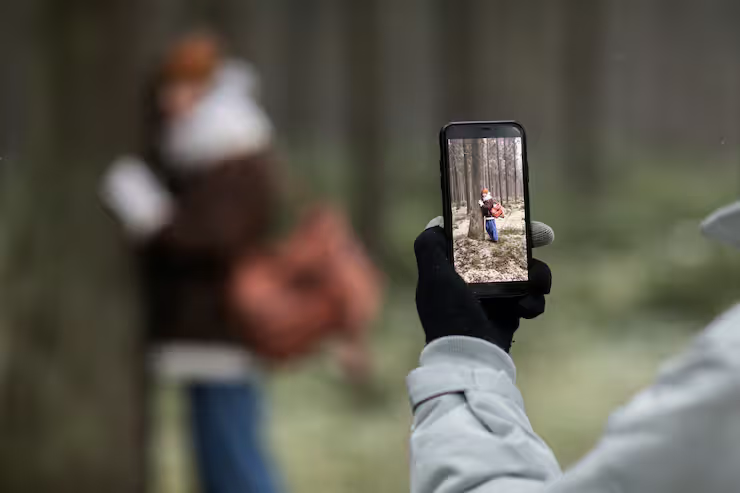
Mobile camera tricks are simple techniques that help you capture better photos and videos using your smartphone. With the rapid improvement of smartphone cameras, users no longer need professional equipment to achieve impressive results. By understanding android phone camera tricks and applying practical methods, anyone can improve image quality, creativity, and storytelling.
Most folks snap pics just fine without thinking much. Some tricks boost light in dark spots. Others keep faces looking natural when backlit. It isn’t magic, just smart design choices built into your device. These methods apply whether posting online or building skills step by step. The whole idea is making tools already in hand work smarter. You might not notice each detail at first glance, yet together they shape how images feel.
How Mobile Camera Tricks Work
Picture-taking on phones depends on both physical parts plus smart programs working together. Today’s mobile devices snap better photos by using powerful chips along with clever math tricks built into their systems.
Take your phone's camera features - using them well makes a big difference. Picture this: tapping to focus before snapping changes everything
- HDR combines multiple exposures to improve dynamic range
- AI scene detection adjusts colors and lighting automatically
- Night mode enhances low-light photography
- A person stands closer while the world behind softens. Blurring happens because space gets measured. What lies farther dims quietly. Focus sticks near what matters first. Distance shapes how light falls across edges
Start with how light hits the lens, then layer in where you stand when shooting. Mix that with app tools hiding inside your phone. Grasp these pieces - both hands-on choices and digital tweaks - to shape what shows up sharp or soft. Results improve when neither part gets ignored.
importance and real world use cases
Most people never think twice about their phone's camera. Yet tiny tweaks change everything - suddenly photos look sharper, clearer. A steady hand matters more than a costly lens. Light shifts the mood, even at noon. Anyone walking outside holds power once reserved for pros. Pocket-sized tools now do what gear used to. Moments stay preserved, not lost. Quality hides in plain sight, waiting.
Everyday situations look like these examples
- Social media content creation
- Product photography for small businesses
- Travel and lifestyle documentation
- Educational and creative projects
- Video content creation using phone camera video tricks
Shadows often fade when you shift how light hits the lens. A steady hand keeps shapes sharp instead of smudged across the screen. Distance between objects adds layers where flatness once lived.
Mobile Photography Key Features
Today’s phones pack tools that boost how well you capture pictures on the go. Some tweaks inside help shots come out sharper without extra effort. Hidden settings adjust lighting in ways older models could not. These extras work quietly while taking photos. Results often surprise even those who snap images daily.
Smartphone Camera Features
- High-resolution sensors
- Optical and digital zoom
- AI-based image processing
- Multiple lenses (wide, ultra-wide, macro)
- Stabilization for video and photos
With these tools, snapping sharp images feels almost like using a pro camera. A few smart tweaks let your phone capture what eyes actually see. Some clever settings help light and detail fall into place naturally. Little by little, photos start looking more alive. These extras make everyday shots stand out without effort.
Mobile Camera Tricks Explained
Some tricks highlight lighting, others shape shadows instead. A few shift attention toward angles while some adjust timing behind the shot. Each method nudges a separate part of how photos come together.
Composition Tricks
- Rule of thirds
- Leading lines
- Framing subjects
- Symmetry and patterns
- Use natural light
- Avoid harsh shadows
- Shoot during golden hour
Creative Tricks
- Reflection shots
- Silhouette photography
- Motion blur effects
- Cool phone photography tricks using objects like glass or water
- Adjust ISO and exposure manually
- Use focus lock
- Enable grid lines
- Experiment with HDR
- Tap to focus on your subject
- Adjust brightness manually
- Use burst mode for action shots
- Avoid digital zoom when possible
Phone camera tips for clearer photos
- Use tripod or stable surface
- Shoot in landscape for videos
- Keep hands steady
- Use timer for group photos
Android photo tricks that spark creative ideas
- Use editing apps for enhancement
- Experiment with filters carefully
- Capture RAW images if available
Recent Trends and Developments 2025 to 2026
Out of nowhere, mobile photography started shifting fast. Lately, a handful of changes quietly upgraded how people snap photos on phones.
Latest Developments
- AI-powered image enhancement has become more accurate (2025 updates)
- Computational photography now improves details automatically
- Advanced night photography modes reduce noise significantly
- 4K and 8K video recording is more common in smartphones
- Camera apps come with built-in tools that adjust images instantly. These tweaks happen while you shoot, not after. Some changes respond to movement or light shifts on their own. Others let you tweak colors or shapes right inside the viewfinder. Instant effects shape how photos look the moment they’re taken
Shaky footage fades into smooth clips, thanks to smarter software holding things steady. Movie-style shots now pop up easily, riding on fresh tools that shape light and motion alike.
Tools and resources for learning
Start by using what you already have in hand, then slowly add new methods. A steady hand helps more than most think at first glance.
Helpful Tools
- Built-in camera apps with manual controls
- Photo editing apps (for color correction and cropping)
- Tripods and stabilizers
- External lenses for smartphones
Learning Resources
- Online tutorials and photography courses
- Video platforms for practical demonstrations
- Photography communities and forums
With practice, these tools guide people through better phone camera skills step by step. A steady climb in ability shows up over time.
FAQs
What are the most useful mobile camera tricks for beginners?
Out there, near a window, sunlight does most of the work. Hold the device still - shaky hands blur everything. Imagine lines dividing the frame into nine; place key parts where they cross. Each small change adds up fast.
How can I improve low-light photography on my phone?
When it's dark, switch to night mode instead of using flash. A steady hand makes a difference for sharper photos. Holding still matters more than most realize in low light.
Could smartphone photography tips change depending on your device's operating system?
While many methods look alike, Android phones usually offer extra hands-on settings, giving experienced people room to adjust things their way.
What are some effective phone camera video tricks?
Hold the camera steady, while making sure plenty of light fills the scene - this helps a lot. Smooth motions matter just as much as avoiding shaky hands. Try turning your phone sideways when filming; it makes clips look more balanced and clear.
Do editing apps improve mobile photos?
Most phones now let you tweak light levels, shadows, colors through apps. Still, strong photos begin the moment you press capture - before any edits happen.
Conclusion
Surprisingly, snapping better photos on your phone doesn’t need fancy gear. Instead of relying on equipment, try shifting how you see light around lunchtime. A quiet moment near a window might reveal soft glimmers across surfaces. Hold steady against a wall when the sun dips low. Odd angles - like shooting from hip height - can twist ordinary scenes into something odd and still true. Tap twice before pressing record; it sets focus where chaos begins. Flip through settings once in a while, even if they seem dull at first glance. Sometimes blur builds mood more than sharpness ever does. Memory fades fast, but frames stuck in grids stay longer. Most magic hides just outside perfect symmetry.
Picture problems? Bad light or fuzzy details might not be an issue much longer. Phone cameras keep getting smarter, so snapping clear shots gets easier over time.
Over time, working on these methods again and again brings clearer progress while building real grasp of core photo skills. What matters most is showing up each day because slow gains add up when done often enough.




