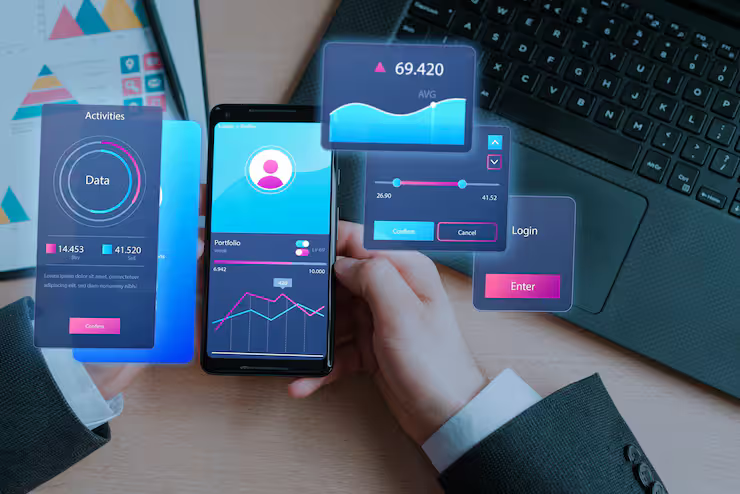
Mobile Data Optimization is the process of managing and improving how data is consumed on smartphones and connected devices. As people rely heavily on cellular data for communication, streaming, and work, efficient usage becomes essential. With increasing dependence on unlimited data plans, portable wifi hotspot setups, and unlimited mobile hotspot solutions, users still face issues like slow speeds, data throttling, and inconsistent connectivity.
Stability comes first when streamlining how phones use internet data. Keeping things running smoothly matters more than just cutting back on traffic. Unneeded downloads slow everything down, so blocking those makes a difference. Speed stays consistent even during busy times online. People notice better results without hitting limits they did not see coming. Reliability grows when systems work quietly behind the scenes. What feels like endless access still needs smart handling. Performance lifts up when clutter gets stripped away. Connections breathe easier with less junk in the way.

Mobile Data Optimization Works
Most of the time, apps pull data without you noticing. Think about updates sneaking through overnight or maps loading quietly in the back. These habits chew up bandwidth even when you are not active. Settings let you step in and block those hidden flows. Some tools adjust on their own, watching traffic like a quiet guard. Priority goes to what matters most - messages arriving fast, videos staying smooth. Background noise gets slowed down or cut entirely. Devices respond quicker once clutter fades away. Rules shape the flow whether you touch them or not.
Deep down, this thing centers around
- Reducing unnecessary data consumption
- Compressing data before transmission
- Managing background app activity
- Optimizing network switching between cellular data and Wi-Fi
Most phones today come with features that manage internet use smartly. Instead of running full speed all the time, they learn how you browse. When demand drops, so does the connection strength. Tools inside watch behavior, then tweak settings behind the scenes. Some even shift between networks without asking. Efficiency comes from small shifts over time. What looks automatic is actually careful pattern work.
importance and real world use cases
Most people need their phones to handle data well - this goes for personal use just as much as company work. Unlimited hotspot offers might sound endless, but many carriers step in once you hit a hidden threshold. Speeds drop, even if the plan says otherwise, because those "unlimited" deals come with quiet rules most don’t notice at first.
In real-world scenarios:
- Remote workers rely on portable wifi hotspot connections for stable internet
- Students attend online classes using cellular data
- Travelers use unlimited data hotspot devices for navigation and communication
- Businesses manage multiple devices connected via unlimited mobile hotspot
When things aren’t tuned up, videos might stall. Downloads creep along instead of moving fast. Work slows down without smooth performance.
key features and components
Data Control and Monitoring
- Keeping an eye on how much data your phone uses, right as it happens
- Alerts users when usage exceeds thresholds
- Provides insights into high-consuming apps
- Smaller files move faster when you surf or watch videos online. Less space taken means quicker load times across sites and services. Streamed content loads lighter on your connection too
- Frequent across web browsers, also found in applications such as streaming services
Background Data Management
- Restricts apps from using cellular data in the background
- Stops extra updates from running when they are not needed. Syncing only happens if there is a real reason
- Automatically switches between Wi-Fi and cellular data
- Prioritizes stable connections over weak signals
Hotspot Optimization
- Manages bandwidth distribution across connected devices
- Built to handle endless hotspot demands without slowing down. Runs smooth even when sharing a mobile signal on the go. Handles heavy traffic like it's nothing. Stays steady during long stretches of constant use. Keeps up whether you're moving or staying put. Works hard so your connection never drops behind
Mobile Data Optimization Types
Device-Level Optimization
- Built-in smartphone settings
- Data saver mode
- App-specific data restrictions
Network-Level Optimization
- Carrier-side compression
- Traffic prioritization
- Fair usage policies
Application-Level Optimization
- Apps designed to consume less data
- Lite versions of popular apps
- Streaming quality adjustments
Mobile Data Use Problems
Despite having unlimited mobile data, users often face:
- Speed throttling after high usage
- Network congestion in crowded areas
- Battery drain due to continuous data usage
- Poor hotspot performance with multiple devices
Slower performance fades when settings shift toward smarter resource handling. Efficiency climbs as devices manage power without dragging down response time. Balance matters more than raw speed alone.
Recent Trends and Developments 2025–2026
Mobile data technologies have evolved significantly in the last year:
- Faster connections now reach more places around the world. By 2025, mobile networks moved beyond old limits. Speeds jumped where signals once lagged. Progress arrived through updated infrastructure. Many regions felt changes by mid-decade
- Fitted inside today’s phones, artificial intelligence helps sort information automatically
- Increased adoption of unlimited wifi hotspot devices for remote work
- Network slicing technology improving performance for specific tasks
- Growth of eSIM-based portable wifi hotspot solutions
Beyond faster speeds, handling vast amounts of information has become smoother thanks to recent upgrades. Still, keeping performance steady remains a core part of the experience.
Regulations and Policies
Mobile data usage is influenced by telecom regulations and provider policies:
- Once you use a lot of data, your internet slows down. This happens despite having an unlimited plan. After reaching a certain point, speeds drop off. The network does this to manage traffic fairly. Heavy users may notice pages loading slower. It is part of how providers balance service. Even if there is no cap, performance can change. Speeds stay reduced until the billing cycle resets
- Net Neutrality Rules: Ensure equal access to internet services without discrimination
- Data Privacy Laws: Protect user data during transmission and usage
When people get how the rules work, it becomes easier to handle their endless hotspot access along with data limits they might face. Expectations shift once clarity kicks in about what's allowed on their plan.
Tools and resources that help
Built-in Smartphone Features
- Data usage tracker
- Data saver mode
- App-level restrictions
- GlassWire (data monitoring)
- My Data Manager
- NetGuard
Network Tools
- Speed test applications
- Signal strength analyzers
- Hotspot management apps
- Telecom provider documentation
- Device user manuals
- Online tech forums and tutorials
Smart Ways to Use Less Phone Data
Smart Usage Habits
- Use Wi-Fi whenever available
- Limit high-resolution streaming
- Download content over Wi-Fi
- Disable background data for unused apps
- Update apps only on Wi-Fi
- Use lite versions of apps
Hotspot Efficiency
- Limit connected devices on unlimited hotspot
- Place portable wifi hotspot in optimal signal areas
- Monitor usage per device
- Enable adaptive connectivity
- Reset network settings periodically
- Pick your favorite network kind - maybe 4G, perhaps 5G - thoughtfully. A solid signal beats speed sometimes
FAQs
What is mobile data optimization and why is it important?
Slowing down isn’t always about signal strength - sometimes it's how data moves through your phone. When networks get crowded, smart handling keeps things running without hiccups. Unlimited doesn’t mean endless; hidden rules can kick in after too much streaming. Handling traffic wisely helps dodge those quiet slowdowns later. Smooth browsing often comes from small behind-the-scenes shifts you never notice.
Does unlimited mobile data mean unlimited speed?
Only some companies truly offer unrestricted access. Once you hit their set threshold, your connection slows down - despite calling it unlimited data on paper.
How can I improve my portable wifi hotspot performance?
Start near a window where signals travel easier. Fewer gadgets linked means more speed for each one. Put the device high up, away from walls or metal objects. When heavy downloads run, others slow down unless spaced out. Strongest spots often sit central in open rooms.
Are wifi hotspot devices unlimited data truly unlimited?
Some plans give plenty of data. Yet once you hit a limit, speeds can drop - rules differ by carrier.
Most apps stay active behind the scenes?
Most apps keep working behind the scenes to stay current. When you stop that activity, your phone uses much less mobile data.
Conclusion
Staying online while moving around demands smart handling of mobile data - people now rely on cell connections more than ever. Unlimited hotspot offers might sound generous, yet how you manage them shapes performance. Sluggish speeds often come from unchecked usage, not the plan itself. Portable WiFi gadgets help, but only when used wisely. Smooth browsing comes down to control, not just access. Efficiency quietly makes the difference nobody sees.
Most people overlook what happens when data moves through phones. Tools already on devices help track where it goes. Some switch settings at odd times just to stay steady. Hotspots work better if you watch them closely. Networks change fast now - thanks to faster towers and smarter software. Smooth connections depend less on speed than how things are tuned. What matters grows behind the scenes.




