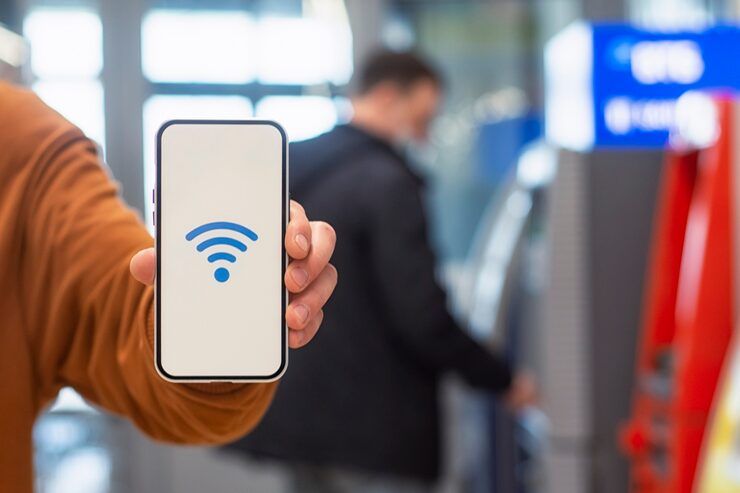
Mobile hotspot setup allows a smartphone or tablet to share its internet connection with other devices such as laptops, tablets, or smart TVs. This feature turns your phone into a portable Wi-Fi router, making it especially useful when traditional internet connections are unavailable.
Even as networks grow smarter, oversight slips through if setup steps get rushed or ignored. A few quiet adjustments under the surface often keep things running smoother than expected.
Mobile Hotspot How It Connects Devices
A small gadget turns your phone’s internet - say, 4G or maybe 5G - into wireless signals you can share. Devices nearby pick up that signal, linking through it much like any home router broadcasts its network.
Connected devices reach the web because your phone becomes their gateway once the hotspot is active. This happens through steps that link everything together - first the phone grabs data, then it shares access without extra hardware
- Accessing mobile hotspot settings
- Creating a network name (SSID)
- Setting a password for security
- Using Wi-Fi might link things together. One option spreads it through Bluetooth instead. Another path goes by way of a USB cable. Each opens access in its own manner
Today’s phones let you tweak hotspot settings in smart ways. One example is setting caps on how much data gets used. Some limit which gadgets can connect at all. Picking between 2.4 GHz and 5 GHz bands? That option shows up too.
importance and use cases
Most days now, getting online means relying on a mobile hotspot. When regular internet drops off, this tool steps in quietly - filling gaps without fuss. Instead of waiting around, people keep moving forward. Connection stays alive even in tight spots. Whether stuck on a train or working from a remote spot, it just works. Problems vanish before they start. No drama, no delays - just steady access when needed most.
Common Use Cases
- Remote work in areas without Wi-Fi
- Emergency internet backup during outages
- Travel connectivity in public or rural areas
- Sharing internet between multiple devices
- Supporting online learning and meetings
When people figure out the right way to start a mobile hotspot, they stay connected to key internet tasks without breaks. Getting it working well means help is always within reach when needed most.
Mobile Hotspot Setup Made Simple
Most devices follow roughly the same steps to create a hotspot, even if small differences appear based on model or software version.
How to set up mobile hotspot
- Open device settings
- Navigate to network or connection settings
- Choose the hotspot setting first. Or go with tethering instead. Either way works fine. Pick what fits your needs now
- Turn on the hotspot function
- Set up a username along with your secret code
- Connect other devices using the credentials
Some networks require extra steps when turning on a mobile hotspot, especially if you are using Verizon. These rules depend on your service provider. Settings might need approval before they work. Each carrier handles access differently. With certain plans, limits could affect how the feature runs.
Set Up Personal Hotspot on iPhone
Turn on internet sharing through Apple gadgets using a simple built-in option. This setting goes by the name "Personal Hotspot."
Turn On Personal Hotspot In iPhone Settings
- Open Settings
- Open the Personal Hotspot option by tapping it
- Turn on “Allow Others to Join”
- Set or confirm Wi-Fi password
- Connect devices using the displayed network
Turning on a personal hotspot using an iPhone takes just a few steps. Still, check that cellular data is active before continuing. A working data connection matters most here. Even so, confirm your service agreement allows tethering features too.
iPhone hotspot setup options
- Automatic device pairing via iCloud
- USB tethering support
- Instant hotspot sharing with Apple devices
- Secure WPA2 encryption
Starting with how hotspots work on an iPhone makes control easier. Ways to adjust settings appear once you explore connection choices. Each option opens different paths for handling access. Some steps guide who gets online through your device. Knowing these details changes how smoothly sharing works.
Mobile Hotspot Key Features
Mobile hotspots come with several features designed to enhance usability and performance.
Core Features
- Wi-Fi sharing capability
- Multi-device connectivity
- Password protection
- Data usage monitoring
- Automatic timeout settings
Advanced Features
- Band selection (2.4 GHz / 5 GHz)
- Device connection limits
- Network prioritization
- Battery optimization modes
Because of these traits, setting up a mobile hotspot can shift easily based on what’s needed. Sometimes it adjusts quietly behind the scenes. Other times changes show right away. Each setup finds its own rhythm without forcing steps. The way things respond depends on how they’re used. Flexibility hides in small details others might skip.
Hotspot Connection Types
Sharing a mobile hotspot happens in various ways, based on what the person needs. Sometimes it flows over Wi-Fi, sometimes another path opens up instead.
Wi-Fi Hotspot
- Most common method
- Supports multiple devices
- Easy to set up
USB Tethering
- Direct connection to a computer
- More stable and faster
- Lower battery consumption
Bluetooth Tethering
- Lower speed
- Energy-efficient
- Fine for everyday jobs
What works best changes based on how it's used and what tools are at hand.
How Mobile Hotspot Settings Work
Most people overlook how phone hotspots actually work behind the scenes. Tweaking those hidden options can quietly boost speed. A few changes may also keep strangers from jumping on your connection. Settings buried deep often make the biggest difference. Smooth browsing usually comes down to small adjustments most never touch.
Important Settings
- What you call your Wi-Fi shows up as this name when others search for connections
- Password: Secures access
- Band Selection: Controls speed and range
- Usage caps stop runaway data consumption
- When the device rests too long, it powers down by itself. This little pause keeps energy from draining without warning
A well-set system links devices more reliably while blocking unwanted entries.
Recent Trends and Updates 2025–2026
Out of nowhere, mobile hotspots grow smarter as network links improve alongside gadget power. Speeds climb higher when new tech rolls into hardware designs. Connections now handle more tasks at once because systems adapt on the fly. Battery life stretches further even as demands increase steadily. Signals reach farther due to upgraded transmission methods hidden inside compact units.
Key Developments
- Increased adoption of 5G hotspot usage for faster speeds (2025)
- Security upgrades such as WPA3 are showing up more often
- Improved battery efficiency in hotspot mode
- Integration with smart ecosystems and IoT devices
- AI-based network optimization for better performance
Now setting up a mobile hotspot runs smoother, since connections hold better and move faster. Starting one takes less time because signals stay strong more often.
Rules and How Information Is Handled
Mobile hotspots come with rules set by phone companies plus limits on data use.
Key Considerations
- Some phones come with caps on how much data you can use each month
- Some carriers restrict hotspot access
- Usage rules could be in place
- Speed throttling after data limits
Not every data plan lets you run a mobile hotspot on Verizon or others. Check what your package actually includes before counting on it working. Surprise limits can kill connectivity when you need it most.
Learning Tools and Resources
From time to time, certain apps give people clearer insight into how mobile hotspots work. Some online services offer ways to track usage without confusion. A few options show connection details in simpler forms. Occasionally, software appears that simplifies control over shared networks. Through these means, handling hotspot settings becomes less tangled.
Useful Tools
- Built-in device settings dashboards
- Data usage monitoring apps
- Network analyzer tools
- Carrier support applications
Learning Resources
- Official device manuals
- Mobile OS documentation
- Online tech forums and tutorials
- Networking fundamentals courses
From time to time, these tools help make sense of setting up a mobile hotspot. Figuring out problems becomes easier when using what's provided here. Each piece fits together without needing extra steps. Clarity comes through simple guidance found within. Solutions appear more reachable once explored. Understanding grows just by looking into them.
Common Problems and How They Are Fixed
Once everything is configured right, connection issues might still pop up. Sometimes a working system doesn’t mean smooth access. Glitches appear despite correct installation steps being followed fully. A flawless start does not guarantee constant performance later on.
Common Problems
- Slow internet speed
- Devices not connecting
- Frequent disconnections
- High battery drain
Solutions
- Restart hotspot and connected devices
- Check mobile data availability
- Adjust hotspot settings
- Limit connected devices
- Update device software
Fixing problems fast makes your mobile hotspot work better once it is running. When things go wrong, knowing what to do changes everything. A few smart steps beat guessing every single time. Setup gets easier when hiccups dont slow you down. Handling glitches yourself keeps the connection steady. The right moves at the start save hassle later. Smooth operation follows clear thinking during setup.
FAQs
What is a mobile hotspot and why is it useful?
A single gadget can beam out web access when needed. Useful during trips or if your main link drops, it keeps things running away from the office.
Open the Settings app. Tap on Personal Hotspot next. Turn on the option labeled “Allow Others to Join.” That switch turns your iPhone into a live hotspot right away.
Does using a hotspot consume more data?
Every gadget tied to your network pulls from your phone's data supply. Keeping an eye on how much gets used helps stop you going over the edge.
Setting Up Verizon Hotspot Without Extra Steps?
Most of the time, it works like that. Still, certain carriers might need to turn on hotspot permission first.
What is the best way to set up mobile hotspot for speed?
When possible, pick the 5 GHz frequency. Fewer gadgets on the network helps. A solid cell connection matters just as much.
Conclusion
Most phones today let you share their data connection easily. Starting a personal hotspot means other gadgets can get online too. When done right, it keeps tablets or laptops linked without trouble. Knowing each step helps avoid hiccups later on.
One step at a time, getting familiar with your device opens doors - better work flow, clearer talks, easier reach. When speeds climb and gadgets grow sharper, linking through portable internet stays useful wherever you land.




