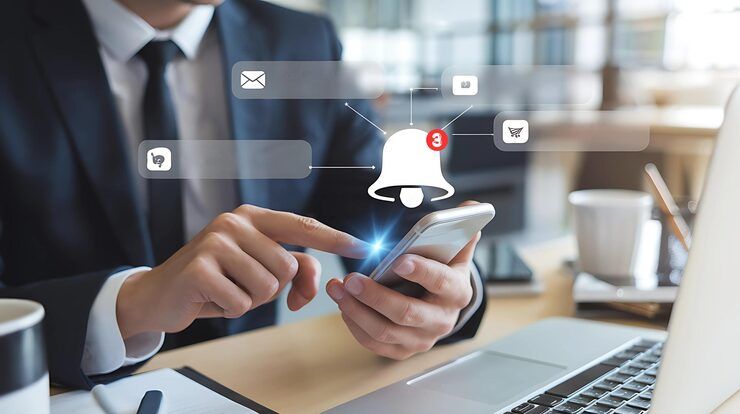
Notification control features are essential tools that help users manage alerts, messages, and updates from various applications on their devices. As smartphones become central to daily life, the volume of notifications can quickly become overwhelming. These features provide a structured way to organize, filter, and prioritize alerts so users can stay informed without distraction.
Some changes happen quietly in the background. Others shift how fast or loud a message arrives. Each choice adds up to fewer distractions. Still, nothing slips through entirely. Personal patterns guide which alerts rise to the top. Even timing plays a role. Settings once buried deep now sit within quick reach. Custom rules apply only when needed. Not every update deserves equal attention.

Notification Control Features Explained
Most of the time, turning alerts on or off happens inside the phone's main settings. Inside Android, these options live under apps and their alert preferences. Each program can be set up differently, depending on what the person wants. The system handles every signal using built-in tools found in the device menu.
Alerts come through set paths for every app. Changing those paths is something users have control over
- Turn alerts on when you want them. Off works too if that fits better. Choose what feels right for now
- Sound levels can shift whenever you prefer. Vibration strength changes too, if that suits better. Alerts show up as flashes on screen when needed instead
- Control lock screen visibility
- Set priority levels
Hidden behind the glass, alerts still peek through on Android's locked display. Depending on settings, what shows up changes - sometimes clear, sometimes vague, sometimes nothing at all. Choices shape how much others might see if they glance your way. Some pick openness. Others choose secrecy without lifting a finger.
Some top Android apps for notifications give more power through features that sort messages together, hold off alerts until later, or show only certain ones depending on where you are or what time it is.
Why Controlling Notifications Matters
Most people get sidetracked when alerts pop up too often. Staying on track becomes easier once you adjust how messages arrive. Missing urgent updates is less likely with smarter alert timing. Focus improves not by cutting all pings but shaping them wisely. Too many interruptions weigh down daily progress. Getting only what matters cuts through the noise without silence.
Key benefits include:
- Reduced digital distractions during work or study
- Improved time management
- Better privacy through lock screen controls
- Enhanced user experience with organized alerts
When working, turning off phone alerts helps you stay focused on meetings or deep work. A quiet device means fewer distractions when attention matters most. Notifications paused, workflow stays smooth without surprise pings breaking rhythm. Staying in the zone often depends on silencing apps that demand immediate notice. Interruption control begins simply - by delaying messages until timing works better.
Real-World Use Cases
Most people adjust alerts at home just as they do at work. What stands out is how often settings get changed during daily routines. From phones to computers, managing sounds matters a lot. One thing clear - silencing apps happens constantly everywhere. Rarely does anyone leave notifications on without thinking first.
Everyday Usage
- Managing social media alerts
- Filtering promotional messages
- Prioritizing communication apps
Workplace Productivity
- Silencing non-essential apps during work hours
- Get alerts first when team apps ping you
- Using scheduled notification modes
Privacy Protection
- Hiding sensitive messages on android notification lock screen
- Controlling which apps display content previews
- Limiting screen interruptions
- Reducing dependency on constant alerts
From managing daily tasks to reducing distractions, notification tools on Android let people stay in touch without losing concentration. Each feature shapes the way alerts appear, helping users choose what feels right for their routine. Some find it easier to respond quickly, while others adjust settings so only urgent messages get through. Over time, these small changes add up - offering space to work, think, or simply pause when needed.
Notification Control System Features
Core Functionalities
- Enable or disable notifications per app
- Customize sound, vibration, and visual alerts
- Notification grouping and bundling
- Lock screen visibility control
Advanced Features
- Later on, you can set when alerts show up. Quiet times block interruptions automatically
- Priority filtering for important apps
- Answers that think ahead pop up fast. Quick taps do the work instead of long messages
- AI-based notification categorization
Customization Options
- Channel-based notification settings
- App-specific notification tones
- Visual styles such as banners or pop-ups
Most people turn to top notification apps when they want settings tighter than what their phone offers out of the box.
Notification Control Methods
Different approaches exist for managing notifications effectively.
System-Level Control
- Hidden inside your phone's setup menu
- Open it via the app or get in through the notification panel
- Suitable for basic control notifications needs
- Some alerts come through outside programs made for Android devices
- With smart tools that sort what matters. Then it runs tasks without you lifting a finger
Context-Aware Control
- Adjusts notifications based on user behavior
- Uses AI to prioritize alerts
- Schedules when notifications are allowed
- Useful for sleep or work routines
One way suits some people better than others when they want more say. How much say you need changes which path feels right.
Notification Settings Compared
Feature System Settings Third Party Apps AI Based Tools Basic Enable Disable Control Yes Yes Yes Notification Grouping Limited Advanced Advanced Lock Screen Customization Yes Yes Yes Smart Filtering No Partial Yes Automation And Scheduling Yes Advanced Advanced Context Awareness No Limited Yes
This chart compares the ways various apps manage alerts. One tool might let you tweak messages deeply, while another offers only basic switches. Some give fine adjustments through menus hidden under settings tabs. Others rely on preset patterns that change automatically at certain times. Each system handles updates differently depending on its design choices.
Recent Trends and Updates 2025–2026
Last twelve months brought big changes to how alerts are managed. Quiet shifts shaped the way notifications behave now.
Smart Alerts Handling 2025
- These days, Android upgrades come with filters that study how people use their phones - shifting alerts around based on what they do most. Over time, the system adjusts quietly, putting frequent signals up front while tucking others away unless needed.
- Now showing less on the lock screen when alerts pop up, depending on user choice. Privacy got a tweak so personal bits stay hidden if wanted. Some details vanish unless you say otherwise. Settings adjust what appears during notifications. Control shifts to the person holding the device. Choices shape how much others might see. Screen stays dim about certain messages until unlocked.
Expanded Notification Types and Delivery Methods 2025–2026
- Beyond basic sorting, apps split alerts into finer groups. Control grows sharper when people pick exactly what pops up. Notifications shape themselves around choices, not defaults.
- Fresh tools now link alerts between gadgets, so updates match up without gaps. Notifications behave the same way, no matter which device is in use.
Focus Modes with Digital Wellbeing
- When you're doing certain tasks, the system quietly adjusts notifications using built-in focus settings. These adjustments slip into place behind the scenes, shaping how alerts appear without demanding attention.
- Now apps that alert you on Android keep getting smarter, focusing more on what users actually need. One change after another reveals a shift toward simpler, more thoughtful design. Little by little, they adapt instead of just interrupting. Each update feels less like noise, more like help showing up at the right moment. What stands out is how they start to guess your rhythm, not just deliver messages.
Rules and Personal Information
How notifications work can depend on local privacy rules along with what each service allows. Different regions set limits while companies add their own settings too.
Data Protection Regulations
- Under rules like GDPR, people must agree before getting alerts
- Choosing whether to get alerts should be up to each user. Apps need to make it possible to say yes or skip them. People might want updates, yet others prefer silence. Each person gets their own choice. Turning notifications on or off belongs to the individual. The option has to exist inside the app itself
Platform Policies
- Apps must show straightforward notification options, according to Android rules
- Getting too many warnings wrong might get you limited. Spam alarms sent by mistake often cause blocks later on. Alerts used poorly tend to invite tighter controls down the line. Too much false signaling usually ends in access cuts. Wrong notification habits sometimes trigger system locks
- Lock screen notification visibility must respect user preferences
- Sensitive data should not be exposed without permission
By sticking to these guidelines, notifications on phones stay helpful without crossing personal boundaries.
Tools and platforms that help
Not every app sticks to the basics - some let you tweak alerts your way. A few options shape how messages pop up, instead of leaving things on auto. These helpers adjust timing, silence distractions, or sort urgency without needing a manual reset each time.
Popular Options
- Built-in Android app and notifications settings
- Digital Wellbeing tools
- Third-party notification apps for android
Learning Resources
- Android developer documentation
- Online tutorials about notification management
- User guides for best android notification app features
From time to time, tools like these give people clearer ways to grasp how notifications work. One step at a time, they guide through setting them up well.
FAQs
What is notification control in smartphones?
Apps can bug you less when you tweak their alerts your way. Picture choosing which pings get loud, which stay quiet, which show up on screen. Some buzz only once. Others wait till later. You decide who shouts, who whispers. Settings let you pick tones, hide details, rank urgency. It is about timing, volume, what appears where. Control means seeing only what matters, right when it should. Each app talks differently unless you change how.
Manage Notifications on Android Devices?
Start adjusting how alerts show up by opening the app’s notification menu. Each program lets you tweak when it speaks up - or stays quiet - through its own setup area. Customize interruptions your way, one at a time, inside those settings screens.
What is the role of android notification lock screen?
When locked, it shows alerts so you can see updates without opening the screen, keeping your privacy intact. Notifications appear visibly yet restrict full access by design.
Could those alerts on your phone actually help?
Fine tools live inside - options like sorting, bundling tasks, or setting actions to run themselves, moving past standard controls.
What makes the best notification app effective?
Starting fresh each time, a good app lets you change settings your way. Instead of one-size-fits-all, it uses clever sorting to separate what matters. With timed alerts built in, interruptions happen only when needed. Controls appear simple but handle complex tasks behind the scenes. Notification types get managed without confusion or clutter.
Conclusion
Most phones today flood you with alerts, making it hard to keep up. Yet tweaking your device's own tools or adding extra apps on Android helps shape how messages reach you. Each choice changes what pops up when.
One way to manage how alerts appear on your phone involves tweaking settings right on the lock display. Instead of just blocking everything, some apps sort messages by urgency through learning patterns over time. These changes keep interruptions lighter during focused hours. Smarter responses might show up later thanks to upgrades in background processing logic. Handling pings from applications gets smoother when filters adapt quietly behind the scenes.
Staying aware of how these tools work helps people keep up - without feeling buried. A steady flow keeps things clear.




