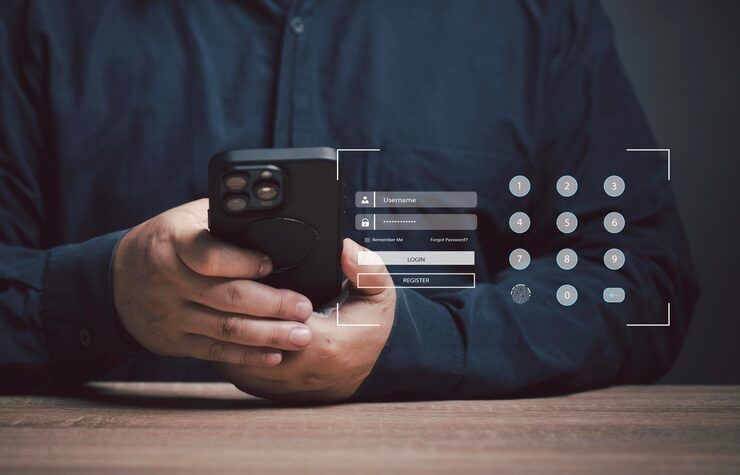
Password manager apps are digital tools designed to securely store, organize, and manage login credentials across devices. As people increasingly rely on online platforms for banking, communication, and work, remembering multiple complex passwords becomes difficult.
Most tools today build complex codes automatically, fill sign-in areas without help, while keeping info updated on every gadget you own. From Android-only vaults to ones that work everywhere, they’re built to make daily online tasks safer, yet simpler to handle.
How Password Managers Operate
Most times, a password tool locks down data using scrambling tech. Creating an account means picking one main code - the only way to reach saved logins later. This single passcode becomes the gateway, nothing works without it.
The basic working process includes:
- Encrypting all saved passwords locally or in secure cloud storage
- Access opens just with a fingerprint or by entering the main code. One way works if the other fails. Either method stands alone. Security holds firm either way. The system checks identity before opening up. Only verified attempts get through
- Automatically filling login credentials on websites and apps
- Generating strong, unique passwords for each account
Even when there is no signal, many Android password tools still let you reach your info because they support working offline. Backup features come built in, so recovery stays possible at any time. Some keep files ready locally instead of relying on a live link to the web.
Using a Password Manager Matters
Most people repeat the same passwords everywhere - risky when sites get hacked. Password apps fix that problem quietly. Instead of repeating entries, they help build separate strong codes every time. One slip on one site won’t open doors elsewhere.
Key reasons why password storage apps are essential:
- Using the same password everywhere leaves doors wide open. A single breach can unravel everything else. Simple codes get cracked faster than you think. Mix things up to stay one step ahead. Weak entries invite trouble without warning. Changing patterns confuses attackers quietly. Stronger choices slow down digital break-ins dramatically
- Start typing, watch fields fill themselves. Logging in takes less than a breath when passwords pop up ready. Pages move faster because you skip the typing marathon. Speed builds up where effort used to slow things down
- Improve digital organization by storing all credentials in one place
- Enhance privacy through encryption and secure access
These days, with digital dangers changing fast, picking a strong password for your phone isn’t just smart - it’s essential.
Real-World Use Cases
Password manager apps are widely used across different scenarios:
- Individuals managing personal accounts such as email, banking, and social media
- Professionals handling multiple work-related platforms and secure logins
- Businesses ensuring team members use strong and unique passwords
- Students accessing educational platforms and cloud-based tools
A single tap might open your apps when using a password vault on Android, skipping the need to type login details each time. This small shift speeds things up while keeping data safer at once.
What Password Managers Do
essential features to look for
- End-to-end encryption for secure storage
- Password generation tools for creating strong credentials
- Autofill functionality for faster logins
- Multi-device synchronization
- Biometric authentication such as fingerprint or face recognition
- Secure backup and recovery options
Advanced Capabilities
- Dark web monitoring for compromised passwords
- Secure notes storage
- Two-factor authentication (2FA) integration
- Password sharing with controlled access
What sets a password app apart isn’t mere storage - it turns into full protection through smart design. A single tap doesn’t just unlock access, it guards every entry with layered defense. Functionality shifts when convenience pairs with constant vigilance behind the scenes. Instead of passive saving, active shielding defines its real role. Hidden layers work before you even notice, building trust without fanfare.
Types of Password Manager Apps
Some folks pick one kind of password tool, others choose a different sort - depends what they’re after. A few go for simplicity, while some want more features tucked inside. One person might value ease, whereas another focuses on tight security. Options spread wide, really, each shaped by who uses them. What matters most changes from user to user, naturally
Cloud-Based Password Managers
- Store encrypted data on remote servers
- Open up usage across various gadgets
- Suitable for users who need flexibility
Local Password Managers
- Store data directly on the device
- Provide higher control over data
- Folks who care about keeping things private will find this fits just right
Browser-Based Password Managers
- Built into web browsers
- Offer basic password saving and autofill
- Easy to use though missing some tools
What you need in a password tool comes down to how you work, what risks matter most, your habits. Picking one fits better when it lines up with personal choices, safety needs, daily routines.
recent trends and developments
In the past year (2025–2026), password manager apps have seen several advancements:
- Increased adoption of passwordless authentication using biometrics and passkeys
- Integration with operating systems for seamless login experiences
- Enhanced AI-based security alerts for suspicious activity
- Growing support for decentralized identity systems
Logging in gets easier when big tech firms drop passwords for passkeys. These new tools cut down fake site tricks because they work differently behind the scenes. Some trusted apps that guard login info are adding them quietly. Safety goes up a notch without extra steps for people using them.
Rules and Safety Measures
Password managers need to follow different rules for protecting information, while also meeting specific safety standards
- General Data Protection Regulation (GDPR) for data privacy
- ISO/IEC 27001 for information security management
- California Consumer Privacy Act (CCPA) for user data protection
- End-to-end encryption standards to ensure data confidentiality
Built into the rules is a push for tighter safeguards, so companies handling logins must guard personal data with real care. Each step they take gets checked, meaning slipshod methods won’t pass. How people's details are stored matters just as much as how they’re accessed, keeping risks low through careful design.
Tools and platforms that help
Several well-known password storage apps are widely used for secure credential management:
Popular Password Managers
- LastPass
- Dashlane
- 1Password
- Bitwarden
- NordPass
One thing stands out when looking at these platforms - they each come with unique tools. Because of that, checking how safe they are matters a lot. Sometimes what feels easy to use surprises you. Compatibility slips under the radar until it causes trouble later on.
How to Use Password Manager Apps Safely
Tips For Effective Usage
- Create a strong and unique master password
- Enable two-factor authentication whenever possible
- Regularly update stored passwords
- Avoid sharing master credentials
- Backup data securely
Staying consistent with these habits keeps your password app working well, while also protecting what matters. Though small, each step plays a role in how safely things run behind the scenes.
FAQs
What is a password manager app used for?
Storing your logins becomes simpler when a password manager handles everything behind the scenes. Instead of memorizing dozens of codes, you rely on one secure system. Accessing sites feels smoother because the tool fills details automatically. Security stays strong since sensitive data rests inside encrypted storage. One master key opens what you need - nothing more. Each account remains protected through careful design built into the app.
Could those tools that save passwords actually keep them secure?
Most top-rated password apps keep information safe through solid encryption. Trust matters when picking one that fits your needs. Good habits make a difference too - like using unique codes and updating them often.
Can I use a password app on multiple devices?
Some Android password apps work beyond just one system, syncing details between gadgets so logins follow you around. Devices share data smoothly when these tools link up, letting passwords move where needed.
What happens if I forget my master password?
When apps offer ways to regain access, they might still fail if the main password is lost because of how files are locked away. Not every fix works when that key piece disappears into thin air.
Is a password locker for android necessary?
Built-in security grows more vital as people spend extra time on phones. A storage tool for passwords on Android guards private data. Because of this protection, logging into sites stays safer. Not only does it lock details away, but getting back in later feels smooth. When users skip such tools, risks rise without warning. Protection like this quietly works behind the scenes.
Conclusion
One way to stay safer online? Try using a password app. These tools keep login details locked away, yet pull them up fast when needed. Instead of weak or repeated codes, they create tough ones automatically. Safety gets a boost without extra effort each time you sign in somewhere new. People and teams alike find them useful day after day.
Now arriving - new tools such as fingerprint access and digital keys are changing how we store passwords. Because strong apps exist, picking one wisely helps people stay safer online. With care and smart habits, protection gets easier every day.




