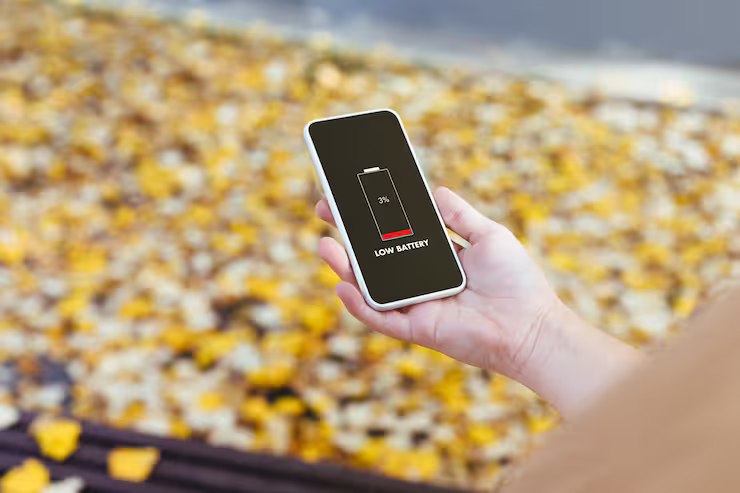
Smartphone battery saving refers to the methods and settings used to reduce power consumption and extend the time your device can run on a single charge. As modern smartphones handle tasks like streaming, gaming, GPS navigation, and multitasking, efficient phone battery saving has become essential for daily use.
Just want one thing. Help people keep their phone charged longer, while still letting it run well. Not pushing limits matters here. Built-in power saving helps a lot. So does adjusting those settings yourself now and then. Even some outside apps pitch in. Taking charge of drain adds up over time. Devices work better. They last longer too.
Smartphone battery saving explained
Most of the time, smartphones balance their inner code with physical parts to manage energy flow. One way they do this is by slowing down performance tasks when a special low-power setting gets turned on. Instead of running apps behind the scenes, the device pauses many hidden operations. Screen brightness dips slightly, animations crawl, and certain features mute themselves without asking. Less work means less drain - simple math under the surface.
Key mechanisms include:
- Slower processor speed. Less power from graphics chip. Performance drops happen here too. Efficiency takes a hit overall
- Reduced background app activity
- Limiting push notifications
- Adjusting brightness and refresh rates
- Disabling location services when not needed
Some phones shift settings automatically when battery saver kicks in. Ultra savings cuts everything back, leaving just basics such as calling or texting active.
importance and real world use cases
Battery life matters more than comfort alone. Fixing daily struggles comes naturally when phones last longer between charges
- Extends usage during travel without charging access
- Maintains device availability in emergencies
- Prevents sudden shutdowns during important tasks
- Improves long-term battery lifespan
Take someone using a map app all day - they’ll likely keep their phone’s power mode on. A student with back-to-back video classes? Same thing happens. Working from home means needing juice longer, so smart charging habits come into play naturally. Even those juggling messages during travel find steady battery control makes a difference.
How battery saving systems reduce power use
Modern smartphones include several built-in features to optimize energy usage.
Core Features
- battery saver mode for automatic optimization
- adaptive battery technology based on usage patterns
- background app restriction
- screen brightness control
- battery screen saver options like dark mode
Advanced Features
- ultra power saver for extreme low-power conditions
- AI-based app usage prediction
- scheduled battery saver settings
- app-level battery usage tracking
Most Android power-saving setups include these tools, getting better each time the system refreshes. Though quiet about it, the phone tweaks them quietly behind the scenes.
Battery Saving Options Explained
Some ways work better for some people. Others might prefer a different approach altogether.
Built-in System Modes
- power saver mode: balances performance and efficiency
- battery saver mode: reduces background processes
- Running on minimal energy, it shuts down extras. Only what matters stays active. Everything else waits quietly till needed
App-Based Solutions
- battery saver app for monitoring usage
- phone battery saver app for automated optimization
- third-party battery saver android tools
Manual Optimization
- adjusting battery saver settings
- disabling unused apps and services
- controlling connectivity features like Bluetooth and Wi-Fi
One way might suit those keen on stretching their phone's power, while another fits lighter needs. How much juice you aim to conserve shapes which method feels right. Some tweak settings hard, others barely adjust a thing. The choice shifts based on personal habits and usage patterns. A heavy user may push limits, where a casual one holds back. Depending on your rhythm, one option stands out more than the rest.
Typical Issues and How They’re Fixed
Battery troubles pop up now and then, despite all the high-end functions built in.
Common Issues
- rapid battery drain
- apps consuming excessive power
- overheating during usage
- inefficient charging cycles
Practical Solutions
- regularly check battery usage stats
- uninstall or limit high-drain apps
- enable phone battery saver mode when needed
- Lower the screen's light level. Then make the display turn off sooner after inactivity
- avoid unnecessary background syncing
Hidden drains on your phone's battery might show up when you check with a saving tool instead.
Tools and platforms that help
Several tools help improve battery efficiency and monitoring.
Built-in Tools
- Android battery dashboard
- system battery saver settings
- adaptive battery optimization
Third-Party Tools
- battery saver android applications
- phone battery saver app with analytics
- performance monitoring tools
What drains your battery often hides in plain sight - apps and features showing up clearly once you look. Some functions surprise you by using more energy than expected, revealing where changes help. Spotting these patterns leads to smarter choices without guesswork involved.
Recent Trends And Developments 2025 To 2026
Improvements in how devices manage power show up through fresh tools, then smarter programs keep refining them. Each change arrives quietly, often without notice, yet things run longer between charges now because of it.
- Battery smarts got a boost in 2025 when Android wove AI into its power management, learning how people actually use their phones. Instead of guessing, the system began recognizing routines - like which apps get opened at certain times. Over time, it quietly shifted energy flow based on those habits. What changed was not just efficiency but how smoothly devices kept up without constant charging. Learning from behavior became the quiet engine behind longer life between charges
- When you stop using it, some gadgets shift into low power without asking. Power levels jump back up once activity returns. These shifts happen by themselves, depending on how much you do. Not every machine acts the same way all the time. Behavior changes quietly behind the scenes. What triggers the switch? How fast it responds depends on actions taken moments before. Modes flip only when needed
- Some phones shut everything off before. Now they let certain apps work even in super saving mode. Not every function stays blocked anymore. A few tools can still run when power is low. This change means you might open one or two things fast. Full lockdown has been replaced by smart limits sometimes. Restricted does not mean totally gone these days
- Battery life stretches further now. Dark mode shifts on its own, matching what you see. The display adjusts how often it updates, depending on activity. Changes happen without asking. Less power gets used when possible. Screens respond smarter throughout the day
Now machines keep up speed while saving power, running smooth on their own. Gone are the days of tweaking settings every few minutes just to stay steady.
Policies and Standards
How batteries behave depends on rules set by global guidelines. Safety levels shift when standards change across countries.
- Lithium-ion battery safety guidelines ensure safe charging and usage
- Energy efficiency standards promote optimized power consumption
- Device manufacturers follow environmental regulations for battery disposal and recycling
Because safety matters, these rules help phone power sources work well without harming nature.
Smart Ways to Extend Battery Life
Daily Habits
- enable battery saver mode when battery drops below 30%
- keep apps updated for better optimization
- avoid extreme temperatures
Smart Usage
- use Wi-Fi instead of mobile data when possible
- turn off unused sensors like GPS
- manage notifications to reduce background activity
Long-Term Care
- avoid frequent full discharges
- use original chargers and cables
- monitor battery health regularly
Sticking to these habits keeps your device running well while also preserving its power life.
FAQs
Battery saving features go by different names depending on the device?
Besides cutting down on apps running behind the scenes, battery saver often slows things a bit to stretch life. On some gadgets, power saver goes further - tweaking more than just speed, changing how the whole machine behaves once it kicks in.
Does using ultra power saver affect phone performance?
When the battery is nearly empty, ultra power saver kicks in - slowing things down a bit while shutting off most apps to stretch what little charge remains. It trades speed for survival, quietly cutting corners so your phone lasts just a bit longer when it matters most.
Are battery saver apps effective?
Most of the time, the tools already inside your phone work better than a battery saver app. These apps might track how you use power, yet often they promise more than they deliver.
How can I save battery in mobile devices quickly?
Start by switching on your phone's battery saver. Lower the screen’s glow a bit. Shut down links you are not using right now. Slide shut any apps running behind the scenes.
Is power saving mode on android safe to use regularly?
Fine to use every day - keeps things running smoothly without stressing the system. It won’t wear anything down over time.
Conclusion
Most people keep their phones close at hand all day. Because we depend on them so much, how they use power really matters. A steady supply means fewer shutdowns when you need it most. Lasting longer over time helps too - think months ahead. What happens now affects what works later.
When people learn what battery saver, power saving, and ultra-saving modes actually do, they gain control over daily device choices. Instead of guessing, using smart settings along with small routine shifts helps keep phones running steady from morning onward.
Now machines learn on their own, battery savers adjust in real time, responding to how you use them instead of sticking to fixed rules. Efficiency comes naturally when the system watches, waits, then acts at just the right moment.




