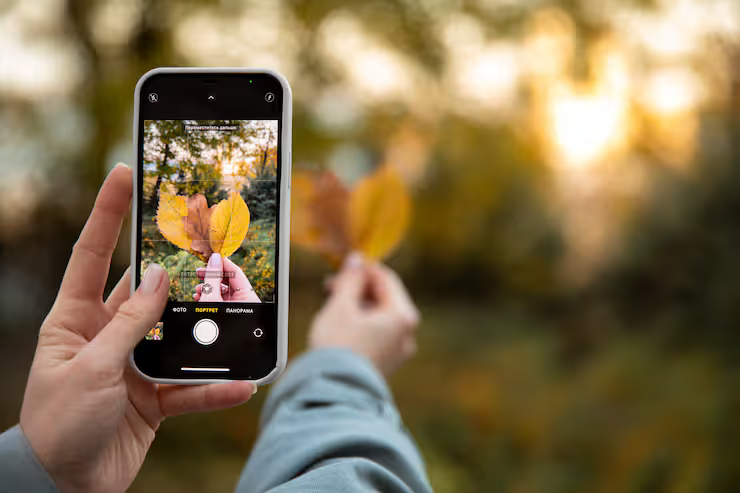
Smartphone cameras have become one of the most important features in modern devices. Many users now choose a phone with great camera instead of carrying a separate digital camera. These compact systems combine hardware and software to capture high-quality photos and videos in different lighting conditions.
A tiny camera tucked into your pocket thinks fast, works quick. Not just snapshots but full ideas come alive through its lens. Smarter software spots light, adjusts shadows before you blink. Years passed, changes came slow then sudden - clearer sight packed in slim frames. Lenses grew sharper, seeing more than eyes sometimes. Each update slips something new inside without asking.
Smartphone Camera Systems Explained
A tiny lens gathers light while circuits turn it into digital signals. Software tweaks those bits into clear images moments later. What you see comes from precise timing between physical parts and smart code running behind the scenes.
Key Working Process
- Light enters through the lens
- A tiny chip inside grabs sunlight, turning that glow into numbers machines understand
- Image Signal Processor (ISP) processes the data
- Colors pop more when the program adjusts them automatically. Sharpness improves through smart processing behind the scenes. Exposure levels balance out thanks to hidden calculations working quietly. Details emerge clearer without extra effort needed
- Stored or shown, the last picture stays ready
Some phones pack several lenses right into one body - like super-wide views, zoomed-in shots, or close-ups of tiny things. Each lens opens up a new way to see, so switching gadgets isn’t needed.
importance and real world use cases
Folks snap pics at home just as much as photographers work gigs with phone lenses now.
Common Uses
- Social media content creation
- Video calls using a selfie camera phone
- Travel photography
- Online education and documentation
- Small business product photography
- Journalism and reporting
A hefty smartphone camera, packed with smart tools, might do what basic DSLRs once handled for plenty of people. Snapshots from devices boasting 200 million pixels often hold up well when tweaked or made into prints.
Smartphone Camera Essentials
Some newer phone cameras pack extra tools inside to make photos clearer and easier to handle.
Camera Features Explained
- High Resolution Sensors
- Devices like a 200mp camera phone capture extremely detailed images.
- Multiple Lens Systems
- Includes wide, ultra wide, telephoto, and macro lenses.
- Optical and Digital Zoom
- Close-up shots of faraway things work well thanks to built-in zoom on some phones.
- Ultra Wide Angle
- Picture-taking gets easier when the lens captures more scene at once. Wide views fit better on screen without stepping back. Groups of people stay fully visible even in tight spots. Scenes with big skies or sweeping valleys show full detail.
- Front Camera Enhancements
- Some phones snap selfies using built-in tricks like soft lighting effects. These tools tweak skin tones while adjusting brightness on their own. Smarter software kicks in once you frame your face. Filters change how pores show up before saving the shot. Settings shift quietly behind the scenes during capture.
- Flip Camera Design
- Spinning its lens around, a flip camera phone captures images from either side. Though built compact, it switches views without needing extra lenses. Instead of doubling the hardware, rotation does the work. From selfies to scenes ahead, one module handles every angle.
- Night Mode
- Pictures come out clearer when light is dim, thanks to extended capture time paired with smart processing.
- Video Capabilities
- Recording hits 4K, sometimes 8K, while staying steady through motion shifts.
Smartphone Camera Configurations
Some phones pack extra lenses when folks want more zoom. Others skip extras if simplicity wins the day. Camera setups shift depending on what people actually do. Choices change from model to model, quietly matching habits.
Common Types
- Single Camera Setup
- Basic functionality for everyday use
- Dual Camera System
- Combines depth sensing and wide shots
- Triple or Quad Camera System
- Lenses come in three types: one captures vast scenes, another focuses on tiny details, while the third pulls distant subjects closer
- Periscope Zoom Cameras
- Advanced zoom camera phone technology for long-distance photography
- Rotating or Flip Cameras
- Hidden inside phones that fold open like tiny cameras, ready for quick shots from any angle
Smartphone Cameras Help With Everyday Challenges
Smartphone cameras address several challenges faced in traditional photography.
Key Benefits
- Eliminates need for separate camera devices
- Provides instant sharing and editing
- Offers AI-assisted photography for beginners
- One gadget fits many ways of filming. Different techniques work without switching tools. A single unit handles it all. Filming choices stay flexible inside one body. Each approach finds room in this setup
- Improves accessibility for content creators
A smartphone made by Google can snap photos that look like they were taken by someone who knows a lot about cameras. Not needing special skills helps people take sharp, bright pictures easily.
Recent Trends and Developments 2025–2026
Every day, phone cameras find new ways to surprise us. A fresh trick appears just when you think nothing else could change.
Latest Updates
- 2025: Introduction of advanced AI photography tools for real-time editing
- 2025: Improved computational photography for better HDR results
- Early 2026: Growth of 200mp camera phone models with enhanced sensors
- 2026: Better low-light performance using AI-based noise reduction
- Increasing use of periscope zoom camera phone technology
- Integration of video stabilization powered by AI
Out in the field, gear gets smarter not just by better parts but how programs adapt on their own. One moment it’s a sensor tweak, next thing you know the system adjusts without being told. Changes stack up quietly behind the scenes where performance stays steady no matter the setting. Little shifts add up when machines learn context instead of just following code. What matters shows up most where conditions keep shifting unpredictably.
Rules and Personal Information
Though phones snap sharp photos, rules apply alongside right choices. A person must mind both law and what feels fair when shooting scenes nearby.
Important Guidelines
- Respect privacy when capturing photos or videos
- Follow local laws regarding public photography
- Avoid recording in restricted areas
- Ensure consent for capturing identifiable individuals
Where laws apply, snapping photos the wrong way might bring trouble. Using cameras wisely matters just as much. A single click could cross a line nobody saw coming.
Tools and learning resources
Smartphone photos get better when people try different apps. Some tools help sharpen images instead of guessing settings. Others learn by testing filters one at a time. A few skip built-in cameras altogether. Practice changes how they frame shots slowly. Watching others’ work gives new ideas now and then. Most keep it simple on purpose.
Useful Tools
- Built-in camera apps with manual controls
- Third-party photography apps for advanced settings
- Photo editing apps for color correction and enhancement
- Cloud storage for managing images
Learning Resources
- Online tutorials and courses on mobile photography
- Photography communities and forums
- Video platforms with practical demonstrations
- Blogs and guides on camera techniques
Frequently Asked Questions
Ever wonder why some phones take better photos than others?
Most phones good at photos pack strong sensors alongside several lenses. Built-in smarts help tweak images using artificial intelligence instead of basic settings. Night shots become clearer thanks to special low-light modes tucked inside. Zooming in stays sharp because extra lens options handle the stretch.
Is a 200mp camera phone always better?
A single pixel count doesn’t tell the whole story - bigger sensors often capture richer tones. Software tweaks how colors look once captured. Lenses shape sharpness just as much as resolution does.
What is the benefit of an ultra wide camera phone?
Wider scenes fit easily into the frame, so landscapes gain depth, buildings show more structure, yet people in groups stay fully visible. A broader perspective opens up space naturally, letting distant horizons stretch further while tight indoor corners feel less confined.
How does a zoom camera phone work?
Zooming in on faraway things happens through either light-based or electronic methods. Light-based magnification keeps clarity sharper than the electronic kind. What you see up close depends heavily on which method runs inside.
Why is a selfie camera phone important?
For video chats, posting online, or taking selfies, it matters a lot - AI tools frequently boost the outcome. A clearer image shows up when smart tech steps in behind the scenes.
Conclusion
Out of nowhere, tiny lenses pack serious punch. Not just bigger pixels - smarter software steps in too. While some grab shots on an android device built for sharp images, others fold their screen shut after snapping one open. Instead of bulky gear, pockets hold mini studios now. Moments slip by - but catching them feels easier than ever.
Smartphone cameras keep changing, yet they somehow manage to stay useful. Because tech moves fast, knowing what your phone can do makes a difference when taking pictures. Features that seem confusing at first often turn out handy once you try them. Good photos come easier if you learn the basics instead of guessing. Even small tweaks in how you shoot change the outcome completely.




