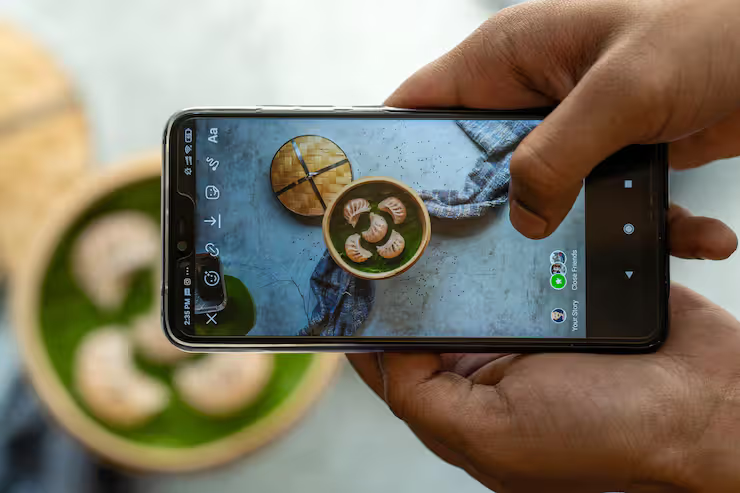
Smartphone photo editing apps have transformed how people capture and enhance images. With just a mobile device, users can adjust lighting, colors, sharpness, and composition without needing professional software. A photo editor for phone allows quick and efficient editing, making it easier for both beginners and experienced users to improve their photos.
Most phones now come with built-in features that handle complex edits through small screens. From tweaking photos for online updates to shaping visuals meant for work, handheld adjustments fit right into how people capture moments today.
Smartphone photo editing apps
Picture tweaks on phones happen through hidden math rules combined with sliders you move yourself. What the lens sees gets changed instantly, shaped by choices made as you go. A tap here, a shift there - colors bend, light shifts, all while the screen updates without delay.
Most phone editing apps follow a structured workflow:
- Image import from camera or gallery
- Adjustment tools for brightness, contrast, and exposure
- Filters and presets for quick styling
- Advanced features like layering, masking, and retouching
- Export options for sharing or saving
Some smartphone photo tools now rely on smart software that adjusts images by itself. Blurring backgrounds happens without user effort thanks to hidden algorithms. Removing unwanted items from pictures gets handled behind the scenes. Fixing faces in portraits? That too runs automatically through learning systems built into the app.
importance and real world applications
Out here, smartphone photo tools shape work across many areas. Once seen as just for fun, now they show up regularly inside serious jobs.
Everyday Uses
- Social media content creation
- Personal photography improvement
- Quick editing before sharing images
Professional Uses
- Digital marketing campaigns
- Product photography for e-commerce
- Content creation for blogs and websites
Problems They Solve
- Poor lighting or exposure issues
- Image noise and blur correction
- Color imbalance and dull visuals
With top mobile editing tools, people turn regular snapshots into striking visuals - no costly gear required. A few taps bring life to dull pictures through accessible features found right in their pockets. These apps simplify what once demanded professional software, putting creative control within reach of anyone.
Smartphone Photo Editing App Features
Some apps do unique things. Yet nearly every top-rated mobile editor includes similar tools inside. Most functions overlap even when names change across programs.
Basic Editing Tools
- Brightness, contrast, saturation adjustment
- Cropping and rotation
- Sharpness and clarity controls
- Layer-based editing
- Selective adjustments
- Healing and cloning tools
AI-Based Features
- Background removal
- Automatic color correction
- Portrait enhancement
- Filters and presets
- Text overlays
- Stickers and effects
What sets this app apart is how it balances simplicity with depth. A beginner finds tools easy to reach. Yet someone who edits often still discovers room to grow. Options appear only when needed. Hidden complexity stays out of view until required. This keeps the screen clean but powerful. Flexibility comes through smart design, not clutter. Even frequent tweaks feel natural over time. Usability shapes every choice here.
Smartphone photo editing app types
Some apps fit into groups depending on what they do, also who uses them. Function shapes form, yet audience steers design. Each type serves a role, still matches certain people. Purpose links to user needs, while features follow intent. Categories shift slightly, but function stays central.
Basic Editing Apps
- Simple interface
- Quick adjustments
- Ideal for beginners
- Advanced tools
- RAW image support
- Suitable for photographers
AI-Powered Apps
- Automated enhancements
- Smart suggestions
- Faster editing process
- Focus on artistic edits
- Filters, overlays, and graphics
- For posting on social platforms
What works best in a phone editing app often comes down to who’s using it and how experienced they are.
Phone Good for Editing Photos
Though apps do much of the work, what you’re using it on still counts. Top phones for tweaking photos tend to have these traits:
- High-resolution display with accurate colors
- Powerful processor for smooth performance
- Good RAM for handling large images
- Advanced camera system
Besides having an OLED screen, a phone benefits from a powerful GPU while handling photo edits. Though small, the display type matters just as much as graphics performance does during editing tasks. A vivid screen helps spot details - especially when paired with fast processing hardware. Without both pieces working together, some tools might feel sluggish or imprecise. So it is less about one part alone, more how they operate as a team under pressure.
Recent Trends and Developments 2025–2026
A fresh wave of changes hit phone-based picture tweaks just months ago. Speedy upgrades rolled out, shifting how snapshots get touched up on handhelds.
AI Integration (2025)
- AI tools now offer real-time suggestions
- Automatic object removal has improved accuracy
- Filters change how they work depending on what is inside the picture
- Editing projects can sync across devices
- Files become simpler to reach when storage joins together
Generative Editing Tools 2026
- AI-generated backgrounds
- Image expansion beyond original frame
- Advanced retouching without manual effort
- Many phone editing apps now combine photo and video editing tools
- Seamless editing across formats
Now photo editing on phones feels smoother, thanks to upgrades that opened doors for everyone.
Policies and Ethics
Though many people tweak images these days, rules still shape how far they can go. Not everyone agrees on what’s okay, yet boundaries exist regardless. Even common tools carry weight when choices get made behind the screen. What feels harmless might cross lines someone else draws differently. Every change invites questions, whether asked or not.
Data Privacy
- Apps may collect user data
- Users should review permissions carefully
- Edited images still require proper attribution if sourced externally
- Using copyrighted images without permission can lead to legal issues
Authenticity Concerns
- Over-editing can misrepresent reality
- Ethical use is important in journalism and media
- Images that mislead could face limits on social networks. When pictures change too much they might get blocked online. Platforms sometimes stop fake-looking photos from spreading. Altered visuals risk being restricted across digital spaces. Too much editing can trigger filters on sharing sites
- Openness about changes gets support
Tools and resources for learning
Some tools exist where phone video tweaks become easier over time. One can grow sharper at slicing clips using what's already in reach.
Popular Tools
- Snapseed
- Adobe Lightroom Mobile
- PicsArt
- VSCO
Learning Resources
- Online tutorials and courses
- Photography blogs
- YouTube educational channels
- Mobile photography communities
Picture editing apps on mobiles become clearer when guidance shapes the experience. Tools step in, then show ways to make changes without confusion. Learning happens quietly, through trial balanced by support nearby. Each feature reveals itself once someone begins clicking around. Discovery feels natural, less like instruction following strict rules.
FAQs
What is a smartphone photo editing app?
A picture tweak tool inside your phone works by changing photos with little fixes, color shifts, or stylistic touches right where they’re stored. Instead of moving files elsewhere, it lets you alter them on the spot through built-in features that adjust light, tone, or mood. These changes happen quickly, often with just taps or swipes across the screen. Some versions add artistic layers while others focus on cleaning up shadows or brightening faces. Whatever the method, everything stays within the device itself.
Which features are important in the best phone editing apps?
Brightness adjustment stands out right away. Color fixes come next, shifting smoothly into filter choices. Tools powered by artificial intelligence appear later without warning. Layers show up halfway through, followed closely by RAW file handling. Advanced settings wrap things up near the end.
Can mobile apps replace professional editing software?
Most people find what they need in phone editing tools. Yet when edits get tricky, some pros turn to desktop programs instead.
How do AI features improve photo editing?
Background removal, color fixes, or retouching - these jobs now run on their own thanks to smart tools. Time gets saved because machines handle steps once done by hand. Mistakes drop when software takes over repetitive work.
Does the device affect editing quality?
True, top smartphones for tweaking pictures deliver sharper screens, quicker response times, one touch at a time. A smooth interface follows naturally when power meets accuracy. Picture control grows finer as components work together behind the scenes. Each tap lands exactly where it should. Speed plays its part without drawing attention. Clarity sticks around even in dim lighting.
Conclusion
Out there on most phones now, photo apps let just about anyone tweak images without hassle. Not limited to brightness or contrast alone - creative touches show up too. Working on a vacation snap or something meant for clients? The outcomes often look polished, straight from your pocket device.
Today’s smartphone tools grow smarter fast, thanks to progress in artificial intelligence and portable tech. These upgrades turn photo editors into daily helpers for managing digital tasks. Knowing what they can do - and where they fall short - shapes how people interact with them. Features matter more when real usage reveals their true fit. Every update shifts small details, altering outcomes quietly. Users benefit simply by paying attention, without needing expert skills.




