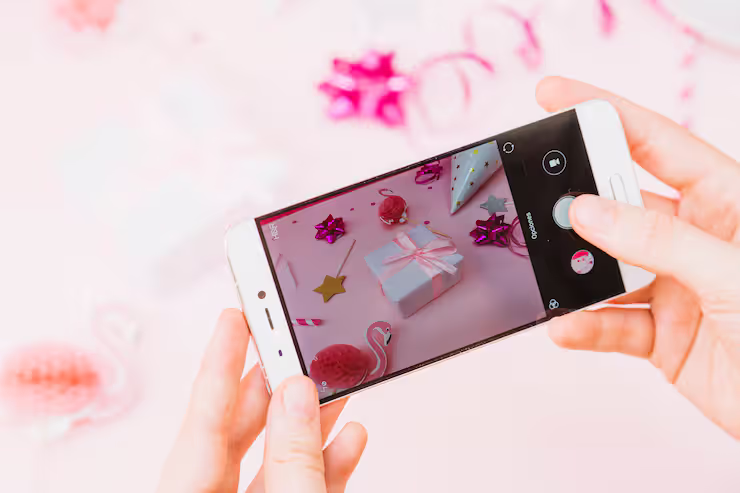
Smartphone photography refers to capturing images using a mobile device equipped with built-in cameras and advanced software. Over the past decade, smartphones have evolved into powerful imaging tools, making it possible for anyone to take high-quality pictures without professional equipment.
Photography through phones opens doors for many people. Because it fits into everyday life so easily, taking pictures feels natural now. When someone wants to save a moment, show something online, or record what happened yesterday, their device often has just what they need. Today's gadgets carry tools once found only in dedicated gear.

Most people now hunt for phones that snap sharp photos, hoping to get pictures like those taken by pros. Yet here’s the twist: knowing how to work any device well often beats owning the fanciest model around. A regular handset, used smartly, might surprise you with its outcome.
Smartphone Photography How It Works
Lens lets light hit the sensor inside your phone. That signal turns into a digital photo through processing power. Tiny adjustments happen in seconds, shaped by code behind the screen. What you see comes from timing, math, and careful tuning
- Camera sensors capturing light and color
- Image processors enhancing details and reducing noise
- AI algorithms adjusting brightness, contrast, and sharpness
- Camera tools such as HDR adjust light levels automatically. Portrait setting blurs backgrounds slightly for focus on subjects. Night capture works better in dark places by brightening details slowly over time
Picture quality inside today’s top phones leans less on glass, more on math. Instead of just snapping once, it captures several shots then blends them behind the scenes.
A single snapshot in dim settings might pull together multiple shots, blending them so details sharpen while noise fades. Sometimes phones snap rapid frames one after another - then merge those layers to brighten the result without boosting blur. Light stays weak, yet the image gains strength through quiet stacking behind the scenes.
importance and real world applications
Smartphone photography has become essential in many areas:
- Social media content creation
- Digital marketing and branding
- Journalism and real-time reporting
- Education and visual learning
- Personal documentation and memory keeping
Picture-taking gets easier when your phone handles quality on the spot. With everything tucked into one device, snapping sharp shots happens fast. Carrying loads of gear? Not anymore. That simplicity opens doors for more people to start creating. Fewer steps stand in the way now.
Working from afar gets easier when images matter just as much as words do. A business run online might depend on how things look, not just how they’re described.
Modern smartphone camera features
Modern smartphones include advanced features that enhance photography:
Camera Capabilities
- A different lens might show more of a scene. One type pulls faraway things closer. Another captures wide views without stepping back
- High-resolution sensors (50MP, 108MP, or more)
- Optical and digital zoom
- Image stabilization (OIS and EIS)
Software Enhancements
- HDR (High Dynamic Range)
- AI scene detection
- Night mode
- Portrait mode with depth effect
Video Features
- 4K and 8K video recording
- Slow motion and time-lapse
- Stabilized video capture
A top smartphone camera works only when hardware teams up with smart software. Still, without one, the other falls short. Smooth outcomes come not just from lenses but how code shapes each shot.
Smartphone Photography Types
Different styles of photography can be achieved using a smartphone:
Common Photography Styles
- Portrait photography
- Landscape photography
- Macro photography
- Street photography
- Product photography
Start with light that feels natural, letting shadows fall just right across the scene. Picture corners matter as much as centers - shift your stance until lines guide the eye where they should go. Hold steady instead of rushing, since small changes in tilt alter everything. Results look sharp not by accident but from checking each frame twice.
Simple Ways to Improve Outcomes
A single trick might change how clear photos look. Yet better lighting often matters more than gear. Some tweaks take seconds yet help a lot. Instead of buying new tools, try adjusting angles first. Even small changes in positioning shift results dramatically
Essential Tips
- Use natural lighting whenever possible
- Keep the lens clean
- Use grid lines for better composition
- Avoid excessive zoom
- When necessary, adjust the focus by hand
Should your phone lack a top-tier camera, try these methods for clearer, well-balanced shots. A different approach might just sharpen what you capture. Though gear matters, how you use it shifts results too. Some tweaks work even on simpler devices. Focus changes alone could balance light and detail better. Not every great photo needs high-end hardware behind it.
Recent Trends and Developments 2025–2026
Smartphone photography continues to evolve rapidly. Recent advancements include:
- AI-powered image enhancement (2025 updates in flagship devices)
- Periscope zoom technology for long-distance shots
- Improved low-light performance with larger sensors
- Real-time object recognition and editing
- Integration of generative AI for photo editing
Some brands rolled out AI-powered photo tools in 2025 - these tweak smartphone images on their own, fixing light levels while erasing things you didn’t want in the shot. Instead of manual edits, the tech handles changes quietly behind the scenes.
Folks now get polished outcomes fast, skipping the need to tweak things by hand. Tools handle the heavy lifting quietly behind the scenes.
Legal and Ethical Aspects
While smartphone photography is convenient, users must follow certain rules:
- Respect privacy when taking photos of individuals
- Steer clear of photographing places that are off-limits or carry privacy concerns
- Follow local laws related to photography in public places
- Images must stay within their intended purpose. Sharing them without permission crosses a line. Using visuals in ways they were never meant to be used creates problems. Distribution needs clear approval beforehand. Unauthorized sharing breaks basic rules
Following these rules helps you use a good camera phone the right way.
Tools and resources for learning
Smartphone photography gets easier with certain apps and gadgets. Some options work behind the scenes while others guide each shot step by step. A few adjust lighting automatically whereas some rely on manual tweaks. Others add precision through external lenses instead of software tricks. One type helps frame better pictures before snapping them right away. Each tool brings something different depending on how you shoot
Editing Apps
- Adobe Lightroom Mobile
- Snapseed
- VSCO
Learning Platforms
- Online photography courses
- Video tutorials on composition and lighting
- Photography blogs and forums
Built-in Features
- Pro mode for manual control
- Grid and level tools
- Editing tools in gallery apps
A single beginner device, when paired with the right tools, might capture shots that look like they came from a pro. With smart choices, even simple gear gains new power through clever configuration.
Common Challenges and Solutions
Smartphone photography also comes with challenges:
Common Issues
- Low-light noise
- Overexposed highlights
- Blurry images due to movement
- Limited zoom quality
Practical Solutions
- Use night mode for low light
- Adjust exposure manually
- Use a tripod or stable surface
- Avoid digital zoom when possible
Figuring out what gets in the way lets people use their gadget better.
Frequently Asked Questions
What makes a smartphone suitable for photography?
A camera inside your phone works better when the light catcher is strong, different glass pieces help zoom or widen shots, smart software adjusts colors and shapes on its own, while steady tech keeps images clear even if hands move slightly.
Can a smartphone replace a professional camera?
A phone handles daily tasks plus making content just fine. Still, pros pick dedicated cameras because they allow finer adjustments along with broader options.
How can I improve my phone photoshoot results?
Light things well while thinking about how stuff sits in the frame. Hold the camera still so nothing blurs during capture. Try shooting from high above now then later from down low. Picture placement matters just as much as clear visuals overall.
Most important thing - does it matter how many megapixels?
A bigger sensor often helps photos look better. Software tweaks how images appear after capture. Lenses make a difference too - sharpness matters. Megapixels alone? They don’t tell the whole story.
Which is better: editing apps or built-in tools?
One helps just fine. The other gives extra options without needing extras. Built-in features work well when simplicity matters, whereas dedicated software allows deeper changes if needed. Each has its place depending on what you’re doing.
Conclusion
Out there in pockets everywhere, phones snap moments once reserved for dedicated cameras. Thanks to smarter sensors mixed with clever software tricks, today’s gadgets handle dim light just as well as bright noon. Picture quality keeps rising without needing extra gear. Even shaky hands find help through built-in corrections that steady the frame behind the scenes.
Most phones take better pictures when light hits just right, even if they are not top models. When shadows fall flat, try moving around until shapes look sharper. Some cameras have hidden settings that change how colors appear. Over time, new updates let anyone capture scenes like professionals once did. What matters most is practice, not the price tag on the screen.




