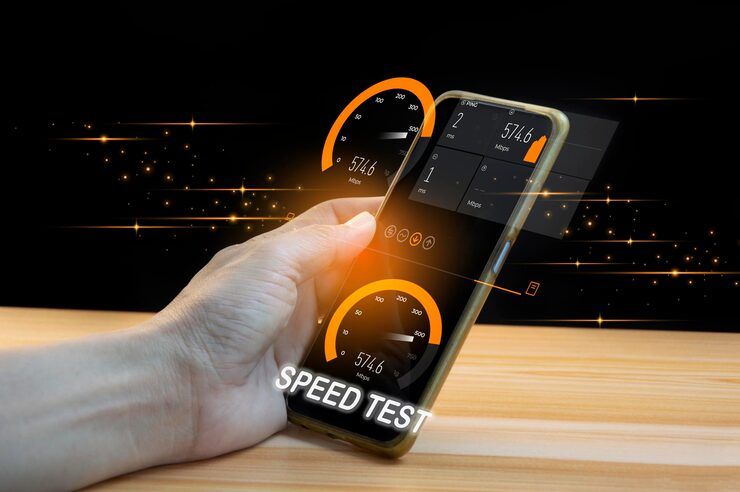
A smartphone speed test is a method used to measure how fast a mobile device can connect to the internet and transfer data. It evaluates download speed, upload speed, latency, and sometimes jitter. Whether you run a cell phone data speed test on mobile networks or a mobile phone wifi speed test at home, these tests help you understand real-world performance.
What lies behind a phone speed test is simple: it shows how well your network performs and what your device can handle. Because apps demand more, people turn to these tools when signals lag or pages stall. Instead of guessing why videos buffer, they check numbers that reflect real performance. As streaming grows common and files live online, knowing actual speeds stops frustration before it starts. Not every provider delivers the same, so comparisons happen - quietly, regularly, without fanfare.
Smartphone Speed Tests Explained
A signal zips from your phone to a faraway machine, then back again. As that happens, tiny bits of information race through networks, their pace tracked closely.
Usually, it goes like this:
- Closest testing hub activates connection sequence
- Measuring download speed by transferring data to your phone
- Measuring upload speed by sending data from your phone
- Response time measured by tracking how long it takes to get a reply
Speed on a phone test often shows up as Mbps. Bigger numbers mean things run faster. Though sometimes it dips, the trend stays clear - more is smoother.
Speed Test Measurements
Peeking under the hood of a phone speed check makes sense of what shows up. Numbers mean more when you know what pushed them out.
Download Speed
Speed of incoming data becomes clear here. Streaming quality ties directly to it, while web pages load at this pace; file transfers take time based on these rates.
Speed of data transfer shows up most during a video call. When you're pushing files out, it shapes how fast they leave. Cloud backups reveal the pace too - nothing hides there.
Latency (Ping)
When your phone talks to a server, latency shows how long it takes. Faster replies happen if that number is small.
What you see with jitter is how much latency shifts around. When things stay steady, that shift stays small.
Smartphone Speed Test Results
Speed when grabbing data online matters a lot. Twenty-five to one hundred megabits per second keeps things smooth. That range handles movies and web pages just fine. Sending information out? Ten to fifty megabits works well. Higher numbers help if you’re sharing big files often. When your device talks to servers, quick replies make a difference. Under thirty milliseconds means less waiting around. Gamers notice that number right away. Fluctuations in timing can mess up calls or streams. If those shifts stay below ten milliseconds, sound and picture hold steady. Fast responses with little wobble mean everything runs without hiccups.
A quick check of your phone's speed makes sense when you want clear answers. When things feel off, spotting slowdowns fast can save time later. Seeing real results shows how well service actually works day to day.
- Identifies slow connections
- Helps compare mobile networks and WiFi performance
- Assists in troubleshooting buffering or lag
- Ensures optimal app and streaming experience
A single look at how fast a phone runs tests might show if slowness comes from too many people online or just the gadget itself struggling.
Real-World Use Cases
Smartphone speed tests are widely used across different scenarios:
- Streaming high-definition videos
- Online gaming requiring low latency
- Remote work and video conferencing
- Uploading content to cloud platforms
- Checking network performance during travel
Before big moments - say a call or going live - people tend to peek at their signal strength just in case. Speed on the network gets a glance when timing matters most.
Smartphone Speed Test Varieties
Some exams reveal patterns through linked responses. Others show results by how pieces connect together. A few depend on relationships between parts. Certain ones track flow across connections. Several rely on how systems interact. Each gives clues shaped by linkage.
Mobile Data Speed Test
This evaluates cellular network performance such as 4G or 5G.
Out there, how fast your phone grabs data on Wi-Fi gets measured by a simple test. Speed reveals what the connection can really do when pushed. This check runs straight through the device you hold every day. Signals travel, numbers shift - results show up in moments. Performance isn’t guessed, it’s seen right on screen.
Browser-Based Tests
Running right inside your browser, these need nothing else to work.
Apps made for one purpose show deeper insights along with past records.
Speed Test Tool Features
Modern phone speed checker tools offer advanced features for better analysis.
Core Features
- Real-time speed measurement
- Automatic server selection
- Graphical performance reports
- History tracking
Advanced Features
- Network diagnostics
- Signal strength analysis
- Multi-server testing
- Data usage monitoring
With these tools, checking a phone's speed becomes precise every single time. A steady result comes through when people rely on such functions.
Speed Test Findings Reveal Typical Issues
A smartphone speed test can reveal several network and device issues:
- Network congestion during peak hours
- Weak signal strength
- Outdated device hardware
- Background apps consuming bandwidth
- Router or ISP limitations
When people check their phone's internet speed now and then, they start noticing how it behaves over time. A slow result today might point to network trouble tomorrow. Watching these shifts helps spot when something needs fixing. It could mean switching settings, changing locations, or contacting service providers. Seeing trends clearly makes problem-solving easier later on.
Recent Trends And Developments 2025 To 2026
Last twelve months brought big changes to how phone speeds get measured. Speed tests on mobile devices look nothing like they did before.
- By 2025, more countries are running on 5G. Faster connections now feel normal in many places. Latency drops became common as signals strengthened. Coverage expanded beyond big cities into rural zones. Networks handle data better than before. Speed improvements show up in daily use. Delays during streaming or downloads nearly disappeared. Equipment upgrades supported smoother performance. Signal reliability improved alongside infrastructure growth. People notice the change without needing tech talk
- AI-Based Optimization (2025): Speed test apps now use AI to recommend network improvements
- By 2026, keeping tabs on speed without breaks is turning common. Watched each moment, these updates roll in nonstop. Ongoing checks shift into everyday tools by then. Speed seen live starts showing up everywhere. Constant oversight becomes normal around that time
- Edge Computing Integration (2026): Faster server connections improve test accuracy
Today’s phone speed tests measure things better because of new tech improvements. A fresh approach lets them give clearer results than before. Each step forward adds accuracy without extra effort. Precision grows when methods adapt to how people actually use devices. Small changes over time lead to much sharper outcomes now.
Rules and Information Guidelines
Testing speed means sending information, something that could be covered by specific rules.
- Net neutrality policies ensure fair internet access
- Rules about personal information decide what happens when details are gathered, also where they go afterward
- Telecom regulatory authorities monitor network performance standards
Most people do not realize checking phone speed uses data. One thing to note is that each test pulls from your plan. It happens automatically once started. Think twice if limits apply. Data gets used even on small checks. This detail matters when near caps. Running tests adds up without warning. Be mindful of how often it occurs.
Tools and platforms that help
Speed checks on mobile devices often happen through various online tools
Popular Tools
- Speedtest by Ookla
- Fast.com
- Meteor
- OpenSignal
Learning Resources
- Telecom authority reports
- Network performance guides
- Online tutorials on interpreting speed results
Checking how fast a phone's data runs becomes easier when using these apps. Their performance stays steady, delivering trustworthy results every time they're opened. Each test gives clear feedback without confusion or guesswork involved.
Accurate Speed Testing Best Practices
To get reliable results from a smartphone speed test, follow these guidelines:
- Close background apps
- Test in different locations
- Run multiple tests at different times
- For consistent results, pick one machine when checking performance
- Ensure stable network conditions
Sticking to regular checks matters most if you’re tracking how fast your phone runs. What counts is doing it the same way every time.
Frequently Asked Questions
What is a good speed for a smartphone speed test?
Most of the time, what counts as fast enough really comes down to how you use it. Around 25 Mbps for downloads plus 10 Mbps up handles everyday tasks just fine. When screens fill with video or games load fast, a bit more helps things run smooth.
Why do speed test results vary?
Some days work better when towers are busy less. A phone grabs data faster if it sits close to a tower. Weak signals slow things down without warning. Far servers add delay every single time. How fast your gadget runs changes the whole experience.
Does running a speed test consume data?
True, running a speed check on your phone eats up data, mostly when pulling info down or sending it out. While testing how fast downloads go, the device pulls real content from servers. Uploading does much the same but sends instead of receives. Each measurement moves actual bits across the network. So yes, every test takes some data to complete.
How often should I test phone speed?
Once in seven days - or whenever something feels off - usually covers what you need to check how things are running.
Can device hardware affect speed test results?
Older gadgets sometimes drag down performance during speed checks. That happens because they’re built to handle slower connections. So when tested, their limits show up clearly in the numbers.
Conclusion
Most folks check their phone’s internet strength without thinking twice. When speeds feel off, running a quick measurement helps spot what’s slow. One way to see real performance? Track how fast data comes down, goes out, plus delays between actions. Some notice problems only after testing pops up odd numbers. With results in hand, adjusting settings often clears things up. A little insight sometimes makes the whole thing work better.
Home wifi checks or roadside signal scans - both gain clarity through frequent trials. New tech like 5G and smart number crunching reshapes how fast tests behave, turning raw data into sharper outcomes.
When you know your phone's data speed, choices about browsing or streaming feel clearer. A test reveals what actually happens each time the screen lights up. Results show if waiting matters less - or more - during downloads. Seeing numbers helps spot when service dips without warning. This kind of detail shapes how people rely on devices daily.




