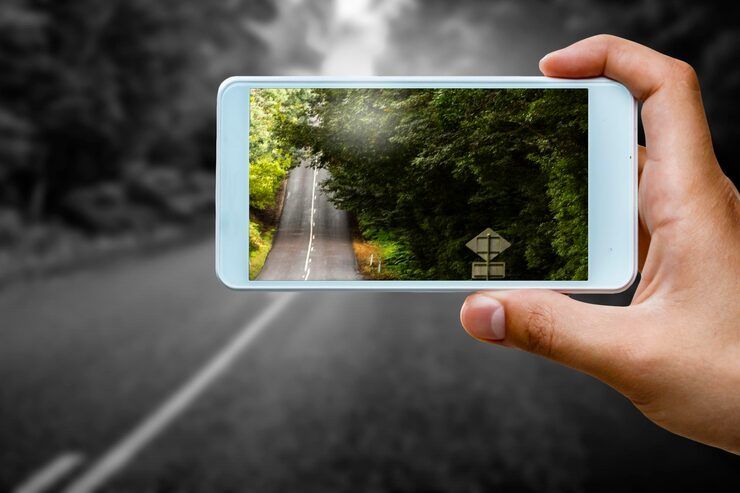
HDR mobile photography is a smartphone imaging technique designed to capture balanced photos in scenes with both bright and dark areas. HDR stands for High Dynamic Range. It combines multiple exposures into one image to preserve details in shadows and highlights.
Out there where phones snap pictures, light plays tricks more than helps. Sun high overhead Skies turn blank, bleached like old fabric. Dark corners hide what you meant to show - gone, swallowed by shade. But here’s a fix: HDR layers different exposures together, one after another. Details creep back into view. Shadows soften, highlights calm down. The photo feels closer to what your eyes first saw.
Most phones now come with HDR cameras built right in. Thanks to smart software working alongside high-dynamic-range tricks, snapshots look sharp - no fancy gear needed. Pictures gain depth and clarity, even in tough lighting. These tools team up quietly behind the scenes. Results surprise many who expect dim shadows or blown-out skies. Tech once limited to experts spreads into everyday pockets. Clearer photos arrive automatically, often before users even tap the screen.
How HDR photography works on mobile phones
A burst of shots, each lit differently, happens almost instantly when HDR mode takes over. One after another they stack - not because they must, but because balance matters. The phone picks apart the brights, the darks, the in-betweens. Merging them isn’t magic, just math shaped like sight. What you see later? A single frame that remembers more than any one snap could.
Typically, the smartphone captures:
Underexposed Image Preserves Highlights Normal Exposure Balanced Mid Tones Overexposed Image Reveals Shadow Details
Out of several shots, the phone's system builds a single picture. Brightness levels even out, shadows sharpen, colors look closer to real life.
Smartphones today snap HDR photos by thinking on their own - no human needed. When the lens spots a mountain view, it shifts how light blends across pixels. A face in frame? The system tweaks contrast before you tap shoot. Even dim rooms get special handling without extra steps. Sunsets glow richer because software guesses what your eyes would see. Each shot bends rules based on shadows, colors, bright patches floating into view.
Why HDR Matters in Phone Photos
Bright sunlight often washes out details. Yet phones now capture more depth in those scenes. Shadows hold clearer shapes. Light blends smoother across the frame. Instead of flat tones, richer contrasts appear. Highlights stay sharp without fading. Dark areas lift slightly into view. Overall clarity rises when lighting fights back.
Common benefits include:
Better Lighting Balance
- Preserves details in bright skies
- Reduces overly dark shadows
- Creates natural-looking exposure
Improved Color Accuracy
- Enhances realistic colors
- Maintains smooth gradients
- Prevents color loss in highlights
Enhanced Detail
- Sharpens textures and surfaces
- Improves clarity in landscape photography
- Helps capture architectural details
Easier Mobile Photography
- Most tasks run without human help, so fewer changes are needed by hand
- Suitable for beginners and casual users
- Works effectively in dynamic environments
Thanks to these benefits, HDR on phones shows up a lot in travel snaps, posts online, news pictures, home listings, also regular shots people take daily.
Everyday moments with bright lights
Bright sunlight often creates harsh shadows, yet HDR helps balance those extremes.
Outdoor Landscape Photography
- Out there, when the sun blazes down, shadow pools stretch just as sharply across the ground.
- When light and dark clash, HDR keeps details clear by blending exposures carefully - yet never loses what matters.
- Darkness creeps into the edges while light blazes above. The ground turns shadowed just as colors explode overhead. Light splits sharply where earth meets air. Bright hues hang low right when outlines fade below.
- With HDR on phones, sunlight stays golden even when shadows show every detail of a face. A bright sky won’t wash out the person standing below it. Colors feel alive without looking fake. Light balances itself across the scene like water finding level ground. Even harsh noon sun can look soft through the lens.
Portrait Photography
- When lights shine behind someone, their face often fades into shadow while the scene glows too much.
- Bright faces show clearly even when the background glows too hard. Details stay balanced, never washed out by light spilling across the frame.
- Windows can trick a camera’s usual brightness settings indoors.
- Outdoors brightens while indoors stays shadowed, HDR keeps both in check. Bright sunlight meets dim rooms - HDR handles the mix without tipping too far either way.
- When light shifts throughout the day, shooting in HDR helps people on the move capture better images with their phones. For those documenting trips or making visuals, this feature handles bright skies and dark shadows at once. Instead of losing detail, photos stay balanced thanks to how the camera layers different exposures together.
Modern Mobile HDR Camera Highlights
These days, phone makers push HDR further by mixing sharper screens with smarter code behind the scenes.
Feature Function. AI Scene Detection. Automatically Adjusts HDR Settings. Multi Frame Processing. Combines Multiple Exposures Quickly. Night HDR Mode. Improves Low Light Photography. Real Time HDR Preview. Shows HDR Effect Before Capture. Computational Photography. Enhances Image Quality Using Software. 4K HDR Video Recording. Supports High Dynamic Range In Video.
Nowadays some top HDR smartphones pack special chips just for photos - these boost how fast and precisely they handle high dynamic range shots. Speed jumps up, details get sharper, thanks to built-in processing muscle tuned only for imaging tasks.
These days, phone makers spend a lot of time improving HDR photo features. Take Apple, Samsung, Google, or Xiaomi - each pushes their cameras further every year.
Recent developments during 2025 and 2026
AI-Powered HDR Processing
- These days, phones tap into generative AI along with neural tools to sharpen images while cutting down graininess.
- Some top phones now capture HDR video, delivering sharper contrast along with smoother motion control. While bright highlights stay clear, shadows reveal more detail through advanced processing tricks.
- A single moment stretches into seconds when capturing night scenes. Brightness lifts without washing out shadows because timing slows down first. Intelligence steps in after light gathers on the sensor. Details sharpen where old methods left blur. What emerges comes from patience meeting computation.
- Folding phones now pack better camera tech, bigger sensors helping light capture while smart software sharpens shots. Larger eyes on the world, their photo brains work quietly behind each scene.
- These days, a few phone camera tools send photos online to boost lighting effects through remote computing power instead. While snapping shots, users might notice sharper contrasts appear after brief delays caused by background analysis happening far away. Instead of relying only on device hardware, certain software taps into distant servers to refine bright areas and shadows at once. Heavy lifting shifts elsewhere so phones handle less strain during adjustments later seen in galleries.
HDR Photo Editing Apps for Smartphones
After taking a picture, people can tweak it using HDR editing apps. With these programs, one finds ways to fix brightness levels alongside shadow details. Light gets balanced across scenes because controls allow fine changes. Colors shift closer to real life when adjustments happen inside the software. Sharpness improves through targeted enhancements built into each toolset.
App Type Main Function Professional Editing Apps Advanced HDR Adjustments AI Editing Apps Automated Enhancement Social Media Editing Apps Quick Filters And Presets RAW Editing Apps Detailed Manual Editing
Useful features in HDR photo editing apps include:
Exposure Control
- Adjusts brightness and shadows
- Restores lost highlights
- Improves image depth
Color Grading
- Enhances tone consistency
- Balances saturation levels
- Creates cinematic effects
Noise Reduction
- Removes grain from low-light images
- Preserves texture quality
- Improves sharpness
These days, plenty of phone camera tools let you work with RAW HDR files, so your photos keep more detail while tweaking them.
HDR Image Processing Technologies
Pictures look sharper today because phones stack different shots together. This happens when smart math studies each frame before blending them smoothly into a single result.
Important technologies include:
Computational Photography
- Out of nowhere, pixels get sharper because code steps in where machines can’t reach. Instead of relying only on physical parts, smart math fills the gaps. Where hardware stalls, processing power pushes further. Suddenly clarity appears not from lenses or sensors - but lines of instruction working behind the scene.
- From shadows to bright spots, AI picks out details like materials and light levels. It adjusts phone camera shots without help. Scenes look more balanced because the tech sees contrasts. What stands out gets fine tuned by spotting edges and color shifts.
- Some phones mix signals from different lenses to handle bright and dark areas better.
- Out of several pictures, one clear result emerges when they’re layered just right. Noise fades, yet sharpness stays put through careful alignment. Each frame adds stability where it matters most. Detail holds firm because excess grain gets smoothed across overlaps.
- Small phones can match big cameras in plenty of shooting situations, thanks to modern tech inside them.
Challenges in HDR mobile photography
Even so, HDR on phones brings perks but also a few drawbacks. Still, bright highlights can overwhelm shadows now and then. Yet, details sometimes vanish where light shifts fast. However, processing may blur quick movements slightly. Though vibrant, colors occasionally look stretched too far.
Motion Blur
- When photos stack, motion can leave faint trails behind. A person walking during long exposure blends into a blur across frames. Shifting objects sometimes show double in final images. If something moves while shots combine, it might smear slightly. During merge steps, any movement risks soft duplicates appearing.
- Over-processing can produce unrealistic colors or excessive sharpness.
- Processing high-res HDR images can demand more battery life along with extra computational resources.
- Pictures with HDR tend to take up more space because of extra detail stored inside. While standard images keep things small, these hold onto brighter highlights plus deeper shadows - both add bulk.
- Still tweaking their code, makers aim for smoother outputs that feel less robotic. New versions pop up often, each one a step toward something lifelike.
Mobile photography apps and learning tools
Some smartphone tools plus online guides boost how people shoot HDR images. A few handy programs work alongside free lessons to sharpen techniques slowly over time.
Useful Learning Resources
- Smartphone photography tutorials
- Online photography courses
- Mobile editing workshops
- Camera manufacturer learning guides
- Photography forums and creator communities
Helpful Photography Skills
- Understanding light direction
- Managing exposure balance
- Framing and composition
- Editing HDR images naturally
- Using RAW photo settings
Mastering such methods often leads to much better HDR photos on phones. Though tricky at first, practice slowly sharpens each shot's balance. Some find the effort changes how they capture light forever.
Privacy Policies and Ethics
HDR smartphone photography also raises important privacy and ethical considerations.
Folks snap photos in open areas, yet rules often apply. Because locations differ, checking regional guidelines matters when taking pictures or passing them around.
Important considerations include:
Responsible Image Editing
- Steer clear of tricking people with altered photos
- Maintain authentic visual representation
- Respect journalistic standards
Data and Cloud Storage Privacy
Cloud platforms may keep copies of photos changed through phone apps. Look at what the rules say about saved files, yet check access rights too. Hidden details often sit inside permission settings - read them before deciding.
AI Transparency
When pictures get tweaked by artificial intelligence, being clear about changes matters more than ever - especially in news and work settings. A growing number of images are touched up without people knowing. That shift makes honesty a bigger deal across fields where visuals carry weight.
FAQs
Understanding HDR in Mobile Photography?
Picture-taking on phones gets smarter when different light levels merge. One shot pulls together several tries at exposure. Brightness finds its sweet spot this way. Details hide less in shadows or glare. Colors come out closer to what eyes really see. This trick helps match how we view scenes naturally.
Benefits of HDR in Smartphone Photography?
When light is tricky, it still pulls sharp pictures out of the mix - think glaring spots next to deep shade. Bright areas stay clean, while shadowed parts keep their shape.
Smartphones and HDR Photography Support?
These days, plenty of phones pack an HDR camera right inside. Yet how well it works often hinges on what's under the hood - both chips and code play a role.
Can HDR photo editing apps improve smartphone images?
True enough. These tools adjust light levels, bring out details in shadows and highlights, tweak hues for accuracy, then fine-tune image clarity once the shot exists.
When does HDR work most effectively?
Fine details show up better in bright skies when shooting sunsets, HDR helps there. Landscapes gain depth because shadows stay clear. Indoor shots handle mixed lighting more naturally, that is where it makes a difference. Backlit faces keep their features without losing highlights. Scenes with strong light changes outdoors become balanced, too.
Conclusion
Picture quality on phones jumped when HDR came along. Bright lights no longer wash out faces thanks to smarter software inside. Instead of missing shadows or blowing out skies, cameras adjust on their own mid-shot. Smarts behind the lens mix data from multiple snaps into one clear result. Tricky sunsets or dim rooms look closer to what eyes see because of layered light tricks.
Now that phones can shoot HDR photos, dim settings look sharper. Real-time processing helps capture balanced clips without delay. Smarter software adjusts scenes on its own. With today’s editing tools, capturing vivid moments feels more natural. These upgrades make handheld cameras useful beyond casual snaps. Even pros find value in the convenience. Phone lenses now handle tasks once reserved for bulky gear.
Picture clarity improves when phone cameras handle bright and dark areas at once. That happens through smart light balancing behind the scenes. Instead of flat snapshots, photos show depth. Modern devices adjust on the fly using layered exposures. Results feel closer to what eyes actually see. Tech tweaks happen quickly, without extra steps. Imaging gains come from timing shifts between frames. Light blends where it matters most. Phones now manage contrast in ways older gear could not. Subtle shadows stay visible alongside strong highlights.




