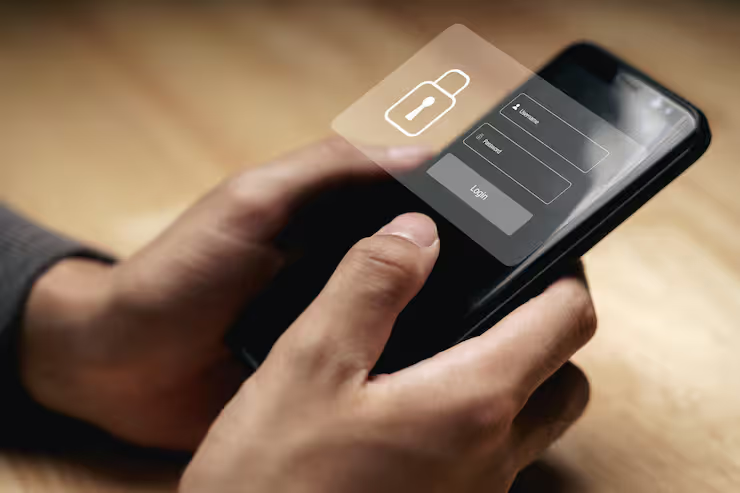
iPhone privacy features are designed to give users better control over their personal data, app permissions, and device security. As smartphones store sensitive information such as messages, financial details, and personal photos, protecting that data has become essential. Apple has built a strong reputation for focusing on privacy, and its devices include multiple tools that help users manage what information is shared and how it is used.
Most people can lower their chances of data spills or being watched by learning how iPhones protect private info. Right inside the phone’s setup, these tools show up ready to use - no tech degree needed.
iPhone privacy features explained simply
Every time you open an app, it might ask for permission - your call whether to say yes. Apple builds these choices into the phone so nothing happens without your okay. Instead of collecting everything, the design takes only what is needed. Seeing where your info goes? That part stays clear, spelled out in plain words. Some tools want your whereabouts; others need the lens or sound pickup - each request comes one at a time. Contacts and documents stay locked unless you unlock them yourself. Nothing sneaks by. Choices stack up across settings, each guarded separately.
Key mechanisms include:
- Permission-based access control for apps
- On-device processing to limit cloud data exposure
- Transparency notifications when sensors are used
- Secure hardware and encryption layers
Not just limited to code, Apple's privacy screen idea takes shape physically too. Nearby eyes struggle to see what’s displayed, shielding personal info from view.
iPhone privacy protection matters
Most people keep their lives close at hand - right inside a smartphone. When it comes to handling money tasks, staying in touch, or proving who you are, one device does it all. That kind of convenience draws unwanted attention from those looking to exploit weak spots. Because these tools hold so much personal data, they naturally become magnets for digital risks.
Key reasons why iphone screen privacy and data protection matter:
- Prevent unauthorized access to personal information
- Reduce risk of identity theft
- Control how apps track behavior and usage
- Protect sensitive work and personal data in public spaces
When riding a bus or sitting at work, Apple’s screen privacy stops people from peeking at what you’re doing. Someone nearby might glance over - this makes it harder for them to see.
iPhone privacy tools explained
App Permission Control
On iPhones, people decide what information each app may reach. Some programs might want your photos; others could ask for location details. Each request gets reviewed by the owner before permission is given. Contacts, calendars, and camera usage fall under these choices too. Settings let you change your mind later if needed
- Location
- Photos
- Contacts
- Microphone
- Camera
One choice lets people allow entry just a single time. Sometimes they pick permission that lasts forever. Other times, access gets blocked completely. Each person decides what fits best.
App Tracking Transparency
Now showing up in newer iOS versions, this tool makes apps request approval prior to following what users do on different sites or programs.
Privacy Indicators
Small visual indicators appear when:
- The camera is active
- The microphone is in use
Clearer views come through when people notice what's happening. Awareness grows because details show up more easily.
Mail Privacy Protection
Open notifications won’t reach the person who sent the message. Their ability to gather location details through your network number also gets blocked.
Safari Privacy Tools
Safari includes built-in protections such as:
- Intelligent Tracking Prevention
- Privacy reports showing blocked trackers
Screen Privacy and Visual Protection
Most people overlook how eyes around can see what's on an iPhone screen. Even when codes lock the info inside, someone nearby might still peek at the display. A quick glance from a stranger holds risk just like weak passwords do. Protection needs to cover sight, not only digital entry points.
Apple Privacy Screen Choices
Users can improve apple privacy screen protection using:
- Screen dimming and auto-lock settings
- Reduced notification previews
- Face ID or passcode protection
iPhone Privacy Screen Options
Some folks look into outside options such as
- Privacy screen protectors
- Anti-glare filters
From certain sides, the picture gets dark fast - good for keeping prying eyes away. Picking one that fits your iPhone version matters just as much as where you use it most.
iPhone Privacy Settings Essential Controls
Inside the iPhone, finding privacy controls feels natural. Jump into settings, they sit neatly grouped. Navigating them takes little time at all. Each option appears clear, straightforward. Sliding through menus just works without hassle.
Essential Privacy Settings
- Location Services: Control which apps access location
- Bluetooth Access: Limit device connections
- Picking just a few pictures? Skip the whole collection. Go for what matters. Leave the rest behind. Not every shot needs sharing. Focus on specific ones. Your choice stays clear
- Access to contacts stays limited when extra sharing gets blocked
iPhone Privacy Screen Settings
- Notification preview control (show when unlocked only)
- Auto-lock timing for quicker screen locking
- Face ID attention awareness for added security
Real-World Use Cases
iPhone privacy features are useful in many everyday situations:
- In public places, iphone screen privacy prevents others from viewing sensitive information
- When people work together, keeping messages safe matters a lot. Access to apps often gets limited on purpose. Protection of company information comes down to these choices. Messages travel safer when controls exist. Some tools stay off-limits so risks drop. Data stays put when boundaries are clear. Who sees what makes a difference every day
- While moving around, managing your location settings cuts down on unwanted monitoring
- For families, parental controls help manage children's data exposure
Privacy Apps for iPhone
Though Apple adds safety features inside its phones, a few people still want extra help from outside apps.
Popular Privacy Apps for iPhones
- VPN applications for secure browsing
- Password managers for account safety
- Secure messaging apps with end-to-end encryption
On top of built-in iPhone controls, these add another layer of safety. Protection gets stronger when they work together.
recent trends and updates 2025 to 2026
Apple continues to strengthen privacy with regular updates.
Recent developments include:
- iOS 17 updates improving app permission transparency (2025)
- Enhanced Lockdown Mode for high-risk users (2025)
- Expanded privacy reports showing app behavior (2026)
- Improved on-device AI processing to reduce cloud dependency (2026)
What stands out now is how much less information gets shared without losing function. Still, keeping things working well remains central even as access shrinks.
Laws and Rules About Privacy
Privacy tools on the iPhone follow rules set by international data laws
- GDPR (General Data Protection Regulation) in Europe
- CCPA (California Consumer Privacy Act) in the United States
- India’s Digital Personal Data Protection Act (2023)
Apple's way of handling privacy puts trust first, making sure people agree before anything happens. Clear information matters just as much as keeping data safe here. Rules line up closely with how choices get respected behind the scenes.
Tools and resources for learning
Learning and Tools
- Apple official privacy documentation
- iPhone user guides within device settings
- Cybersecurity awareness platforms
- Online courses on mobile data protection
Practical Tools
- Built-in Screen Time for monitoring usage
- Password autofill and keychain
- Two-factor authentication
FAQs
Which iPhone privacy features matter most when turning them on?
What matters most? App access rules, where your phone thinks you are, who can follow your activity, also how alerts show up. With these picked right, just what's needed slips out.
How does iphone screen privacy protect users in public places?
Screen settings can hide private details, while privacy filters offer extra cover. This keeps info out of sight from nearby eyes.
What is the purpose of the apple privacy screen feature?
From certain angles, the display grows hard to view. This keeps prying eyes away while sharpening privacy for whoever sits front-on.
Could those extra privacy tools really add much when the phone already has its own safeguards inside?
Some tools come ready to go right out of the box, yet installing extras such as a secure network or login vault adds more shields along the way. While basics cover much, going further means wrapping defenses around every corner slowly.
How often should privacy settings in iphone be reviewed?
Check your settings following big iOS changes - or just once in a while - to keep app access balanced. Maybe timing shifts help spot what slipped through before.
Conclusion
Hidden behind everyday taps lies a system built to guard what matters. Moving beyond basic locks, each update sharpens how you block prying eyes. Picture your apps asking permission - each time, every time. Some steps happen quietly, others need just one toggle. Your screen can blur details when strangers glance over. Control slips into place without fanfare. What feels automatic actually responds to choices made earlier. Even small shifts add up across months. Protection grows not by force but quiet design.
Every now then comes a moment when phones get smarter but so do the threats hiding behind them. Checking your iPhone's privacy choices often helps keep things locked down tight without extra effort. Tools that fit what you actually need tend to work far better than ones just piling on options. New updates show up regularly, bringing changes most people overlook until something feels off. Knowing how each part works makes it easier to decide who sees what. Control shifts back into user hands once they see past the confusing menus and labels. Personal life stays separate from job stuff only if those lines are drawn clearly every day.




