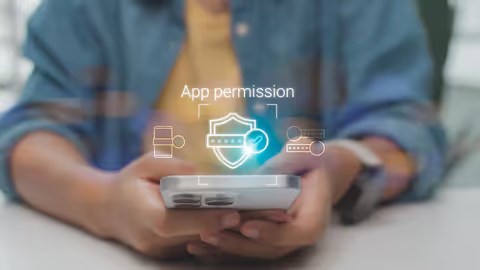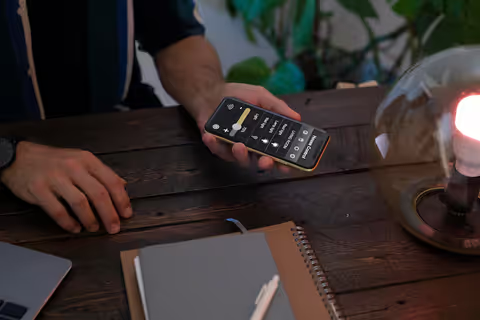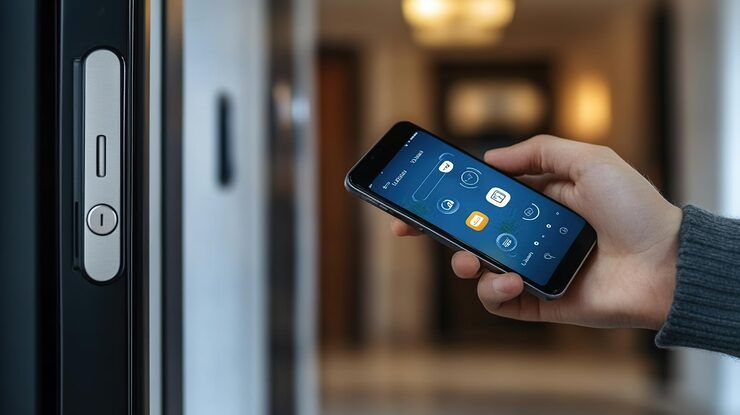
Mobile access control is a modern security method that allows people to unlock doors, gates, elevators, and secure areas using smartphones instead of traditional keys or physical access cards. It combines wireless communication, cloud platforms, and digital credentials to simplify access management for homes, offices, schools, healthcare facilities, and commercial buildings.
Phones now open doors just like they do everything else. Swiping into buildings happens right from a screen people check constantly. Carrying extra cards feels outdated when apps handle entry securely. A device you never forget becomes your key. Logging in through software replaces plastic tags entirely.
Flexible work setups push companies toward new tools, while remote management grows more common alongside hands-free access controls.
Mobile Access Control How It Functions
A smartphone takes the place of a key in mobile access setups. As someone comes close to a locked entrance, their device sends a signal to a sensor by the doorway.
Communication could take place via
- Bluetooth Low Energy (BLE)
- Near Field Communication (NFC)
- Wi-Fi
- QR code scanning
- Cloud-based authentication
With just a smartphone, someone walks up - identity checked on the spot. Entry happens only after that step clears. Permissions shift without needing anyone onsite. A central screen lets managers adjust who gets in, anytime. Changes go live instantly across every door.
Holding digital IDs is what the mobile app does. When a device shows up, the access reader notices if it should be allowed. Permissions get handled through the cloud platform, along with tracking usage. Unlocking or locking happens right at the door controller. Who you are and what you’re permitted to do - checked by the authentication system.
From tiny offices to sprawling campuses, phone-based entry works just as well everywhere. A single setup fits all sizes without needing extra gear.
Mobile Access Control Matters
Lost somewhere, a key might end up duplicated by someone it should not. Instead of copying metal, thieves sometimes just take them outright. Printing plastic badges takes time, then delivering them adds more steps. When one goes missing, another must be made again. Cards wear out. So do trust levels when access slips through cracks.
Mobile access control addresses these issues by providing:
- Faster credential management
- Remote access updates
- Reduced physical contact
- Improved audit tracking
- Better user convenience
- Stronger identity verification
When a credential goes missing, companies with mobile-based entry systems cut access right away - no need to swap out hardware or hand over fresh keycards.
Working remotely gets easier when systems allow changing access times. Some staff need shifts that aren’t fixed. Flexibility shows up in how tools adapt to different routines. When people split time between office and home, timing matters more. Access can shift day to day without slowing things down.
Common Types of Mobile Access Control
Where settings change, so do entry methods - shaped by how tight the rules are and what systems support them.
Bluetooth-Based Access
Besides just tapping a card, your phone can now unlock doors by itself when close enough. Often found where people work or live, this system runs on Bluetooth signals between device and reader.
Just like tapping your card at a store, you touch your phone to a device to get in. A quick nudge of the phone unlocks the door through encrypted signals.
QR Code Access
A scan code made through a phone might let someone in for just a short time. Once the clock runs out, it stops working on its own.
With a live internet link, phone-based entry tools let managers adjust who gets in using online screens from anywhere. Access rules shift without needing to be onsite thanks to constant cloud updates sent straight to handheld devices.
Biometric Mobile Authentication
A few setups link face scans with phone-based entry locks to boost safety. Fingerprints sometimes pair with mobile controls instead. Another way uses phones that respond only after recognizing a person’s features. Entry gets tighter when hand data joins device signals. Some doors open solely after matching both screen unlock steps and physical traits.
Industries That Use Mobile Access Control
Mobile access control technology is now used across many industries.
IndustryCommon UseCorporate OfficesEmployee building accessHealthcareRestricted medical areasEducationCampus entry managementHospitalityMobile room credentialsWarehousingSecure inventory areasResidential BuildingsTenant and visitor accessData CentersHigh-security authentication
App based entry systems help clinics guard medical records along with restricted zones. Schools hand out digital keys so students get into living halls, study spots, or lecture rooms.
Modern Mobile Access Systems Key Features
Fingerprints unlock doors faster now, while cameras watch who comes near. Some phones even open gates without a tap, using invisible signals nearby. Security gets stronger when passwords hide inside software no one sees. These tools fit tight in your pocket yet work from far away. Alerts pop up if strangers try to enter where they should not be.
Remote Credential Management
From anywhere, admins remove permissions just as fast as they give them.
Users may need biometric verification along with mobile credentials.
Activity Monitoring
Entry attempts get logged by systems, while timestamps track when access happens. Authentication records follow each try, showing who attempted what. When someone tries to log in, the moment is stored along with proof of identity checks.
A guest might get short-term access sent straight to their phone. Contractors could receive limited entry details through a message.
Touchless Entry
Some phones let doors open by themselves when near them. A signal from the device tells the lock to release. This happens without needing to touch anything. The system works using wireless communication built into smartphones. No key or button press is required nearby. It relies on settings that detect presence automatically.
Platforms may integrate with:
- Video surveillance systems
- Smart elevators
- Visitor management tools
- Building automation software
- Time attendance systems
Smartphone Access Control Security Advantages
With smartphone access, encryption keeps data safe during transfers. Management happens from one main spot, making oversight smoother. Using phones this way adds a layer of protection others might miss.
Key advantages include:
- Encrypted credential storage
- Reduced credential duplication
- Real-time monitoring
- Instant permission updates
- Faster incident response
- Better compliance reporting
If a gadget goes missing or gets breached, its digital access can simply be shut off from afar - no metal key could do that.
Location tracking might kick in alongside checks on a gadget’s status, boosting login security. Sometimes signals from where you are pop up together with reviews of your hardware condition, making access tighter.
Challenges and Limitations
Even when phones handle entry, getting systems to work right can trip up companies.
Device Compatibility
Some phones can’t connect the way others do.
When the phone runs out of power, account access can pause briefly.
Cybersecurity Risks
Improperly configured cloud systems may create security vulnerabilities.
Some older structures need new equipment so they can work with phone-controlled entry setups.
User Training
When systems change, people who work there or live nearby might feel unsure what to do next. Help often makes the shift smoother for everyone involved.
Paying close attention at the start, while keeping up regular check-ins later, cuts down on problems. Though small oversights happen, staying involved prevents bigger setbacks over time.
Mobile Access Control Meets Privacy Rules
Tracking who enters where can leave a digital trail, so handling personal details carefully matters just as much.
Organizations should follow relevant data protection laws such as:
- General Data Protection Regulation (GDPR)
- California Consumer Privacy Act (CCPA)
- ISO 27001 security standards
- Local workplace privacy regulations
Administrators should clearly define:
- Data storage policies
- Credential retention periods
- User consent procedures
- Access monitoring practices
Clear rules build confidence while encouraging cooperation.
Mobile Access Control Recent Trends
A wave of shifts hit the mobile access control scene lately. Fresh moves redefined how things work across big players this year. Changes rolled through fast, reshaping what was once standard practice. Some updates came quietly, others made noise right away. Progress showed up in surprising forms, not always where expected.
AI-Enhanced Access Monitoring
By 2025, several systems began using smart software to spot odd login patterns while triggering instant warnings on their own. Yet these tools quietly changed how threats were caught across networks during that period.
These days, phones can unlock doors using digital keys stored in a wallet app - Android handles it just like iPhone does. Platforms differ slightly yet achieve the same result through built-in tools found inside each device’s software setup.
Touchless Security Grows
Folks in hospitals now tap less, relying more on systems that just sense presence. Hotels are catching up too - guest entry shifting toward motion-based checks instead of keys. Offices you share with others? They’re ditching badges almost entirely these days. What ties them together isn’t speed alone but fewer surfaces touched daily.
From lights to locks, companies now link entry tools to climate and room sensors through one system. A single platform handles what used to take separate controls. Building operations shift smoothly when access ties into temperature and space tracking. Instead of working alone, door permissions talk to energy settings. Entry data helps adjust air flow based on who's inside. Control once split across departments now flows together quietly behind the scenes.
Improved mobile identity checks
Now some systems check how devices behave, where they log in from, plus what patterns stand out during access attempts. These choices shape whether entry gets easier or harder over time.
Out here, mobile safety matters more as cities get smarter. Devices shape how buildings think, yet protection needs keep shifting too. Where tech connects everything, guards must move just as fast. Hidden risks grow alongside convenience, simply because systems talk to each other now.
Tools and platforms that help
Several platforms support mobile access control deployment and management.
Phones open doors here instead of keys. One system handles badges across big companies. This setup runs door access from the cloud. Workers get inside using only their smartphones. Buildings link locks through a digital network. Control who enters from far away easily. Security tools combine into one full package.
Check out learning materials found at:
- Security Industry Association (SIA)
- ASIS International
- ISC West conference materials
- Cybersecurity certification programs
These resources help administrators understand best practices for smartphone access control implementation.
How to Apply Effectively
When groups set up phone-based entry systems, they ought to stick to clear safety methods. A solid plan helps avoid weak spots later on. Using step-by-step rules makes setup smoother in real-world spots. Anyone handling this task must think ahead about risks. Jumping in without guidelines invites trouble down the road.
Evaluate Infrastructure
Start by checking current locks, then move to controllers - each piece must connect well. Old hardware? Look closer. Network setup matters just as much. Every part needs a second glance before anything goes live.
Where available, turn on fingerprint or face recognition along with extra login steps. Sometimes a code from your phone helps too.
Maintain Software Updates
Staying current with updates on phones helps protect data. Cloud systems run safer when refreshed regularly.
Start by spelling out who can do what. Figure out access levels before anyone walks through the door. Set rules for guests so nobody guesses later.
Monitor System Activity
Regularly review audit logs and unusual access behavior.
Provide clear instructions for using smartphone access control applications securely.
Picking things apart ahead of time makes setups work better later on. Not rushing at the start keeps everything running smoother down the road.
Mobile Access Control Moving Forward
Mobile access control might soon tie more closely into digital IDs, connecting through intelligent city networks. What comes next could reshape how people enter secured areas using personal devices. Systems may begin recognizing users automatically, blending entry methods with broader tech frameworks. This shift would link authentication tools directly to everyday urban operations.
Emerging technologies may include:
- AI-driven threat detection
- Decentralized identity verification
- Wearable device authentication
- Advanced biometric access
- Cross-platform smart building ecosystems
When companies upgrade their buildings, using phones to manage entry will likely settle into everyday security routines.
FAQs
What is mobile access control?
Smartphones can open locked doors when they replace traditional keys in mobile access setups. These systems let people enter protected areas without carrying keycards or metal locks. A phone talks to door hardware through wireless signals, triggering entry. Instead of fumbling with pockets, users tap apps to gain access. Digital permissions handle who gets in and when. Some solutions work even if internet drops out briefly. Devices identify authorized individuals before unlocking happens. Security stays tight because phones use encryption like secure badges do.
How does smartphone access control improve security?
With smartphones, locking systems gain stronger protection using coded keys that change fast. Permissions get handled from one spot, making oversight smoother. Watching who enters where happens in real time. Updates roll out instantly when access needs shift.
What technologies are used in phone access control systems?
Bluetooth shows up often, yet so does NFC when devices need quick links. Wi-Fi handles heavier data tasks instead of small taps. Sometimes a simple QR code opens the door, while cloud systems check permissions behind scenes. Biometric checks add another layer, though they rely on unique physical traits. Each method works differently, but all aim to connect or confirm without wires.
Does mobile access control function when there is no internet connection?
Offline access works on certain setups through saved login details and checks done right there on the device. Still, functions tied to online storage need a live connection to operate.
Is app based access control suitable for small businesses?
True enough. Some web-driven software solutions for access management work well whether you run a corner shop or a multinational firm.
Conclusion
Smartphones now handle entry tasks once reserved for metal keys or plastic cards. From hospitals to schools, apartments to offices - places everywhere rely on phone-powered locks. These digital passes offer tighter protection while making daily access smoother. Swiping a screen beats fumbling through pockets. Security teams adjust permissions without handing out hardware. Phone signals open doors instead of clunky keychains. Digital updates replace physical swaps when needs change. Access stays linked to devices people already carry.
Phones now open doors, thanks to updates in how buildings manage entry. Remote setup of user permissions helps shape this shift, while contactless sign-in adds convenience without extra hardware. Cloud connections keep everything synced across locations. Smarter ID platforms grow stronger every year, feeding into how secure spaces operate. Artificial intelligence watches patterns quietly, adjusting safety checks behind the scenes. These tools blend into daily use, often unnoticed. Future locks will rely more on devices people already carry. Progress moves steadily, guided by real needs rather than flashy ideas.