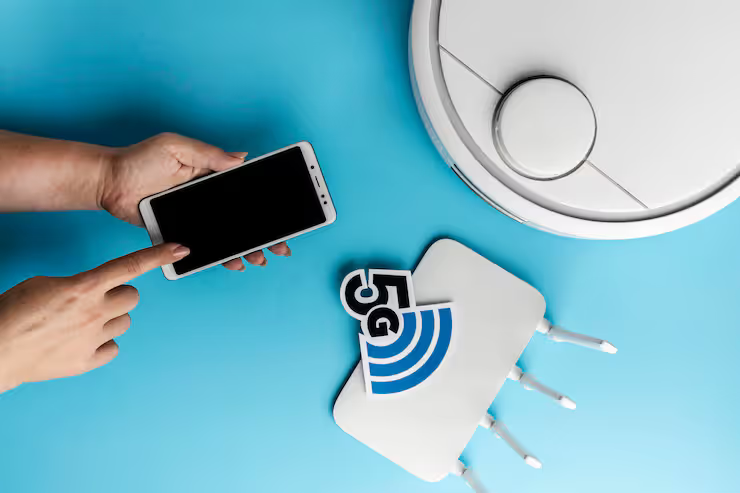
WiFi and mobile integration refers to the connection and coordination between wireless local area networks and mobile communication technologies. This integration allows smartphones, tablets, laptops, wearable devices, and other connected equipment to switch seamlessly between network environments while maintaining reliable communication.
When everything goes online, people just want their apps and sites to work without stopping. Blending Wi-Fi with phone network signals makes that smoother, pulling together how each system connects. What happens is coverage gets steadier, especially when shifting between locations. Signals hand off quietly, so tasks keep running. This mix uses what Wi-Fi does well - like speed - and pairs it with the reach of cell service. The result feels seamless, even if the tech behind it isn’t simple.
Out there, people stay online using compact wireless devices that work just about anywhere - schools see them in classrooms, factories rely on steady links during operations. Offices run smoothly because connections hold strong through busy days. Even while riding buses or trains, access stays active without interruption. Hospitals keep data moving between departments without delay. At home, these tools support daily tasks quietly in the background.
WiFi and Mobile Integration Explained
Out of reach but still connected - that's how wireless networks keep devices talking through layers of hidden tech. Data moves without cables, thanks to a chain of supporting elements working behind the scenes. One piece links to another, forming a flow that stays active across distances. Signals travel using invisible pathways shaped by design and timing.
As you carry your phone around, connections shift based on where you go. Moving across areas triggers new network links automatically. Each spot might bring a different signal source into play. Location changes often mean switching how the device stays online. The way it joins networks depends on position at any moment.
Network Components
- WiFi access points
- Cellular towers
- Private enterprise networks
- Public wireless hotspots
- Cloud-managed networking systems
From time to time, gadgets pick networks by themselves. Signal strength matters a lot. Security needs shape choices too. Bandwidth plays a role when shifting between connections. Preferences set by the person using it also guide decisions. Picking the right link happens without asking every single time.
When signals shift, smart systems track every link without pause. Moving from WiFi to mobile data feels natural because adjustments happen mid-step. Video talks stay steady, just like shared work in the cloud. Even streams keep flowing - classes online rarely skip a beat.
WiFi and Mobile Integration Essentials
- Tiny boxes spread Wi-Fi nearby.
- People reach online tools through handheld gadgets.
- Big signals stretch across cities by cell links.
- Checkpoints confirm who should get access.
- Traffic cops guide flow inside airwaves.
- Internet spaces track activity far away.
- Shield designs guard messages and files.
- Handoff tricks keep connections smooth while moving.
Fine-tuned parts link up, forming smooth wireless phone links in varied settings.
Integrated Wireless Connectivity Matters
Most people today need steady internet just to get through the day. When phone networks mix well with wireless signals, things tend to run smoother.
Key Advantages
- Improved user mobility
- Better network availability
- Reduced communication disruptions
- Enhanced application performance
- Efficient bandwidth utilization
- Stronger security management
- Support for large numbers of connected devices
- Greater flexibility for remote work and learning
Fewer stand-alone gadgets around means networks must work as one. When devices link up, smooth connections matter more than ever.
Common Real-World Applications
Out there, where signals meet motion, daily tasks keep moving through wireless links alongside cellular networks. A single tap travels far when connections pair up quietly beneath routines we barely notice.
Education
Learning centers use connected systems so students can join online lessons, take tests digitally, one way they stay linked is through shared tools that support group work.
Smart Homes
- Lighting setups that link together work better when they join forces with gadgets around the house.
- Security eyes watching your space get sharper by teaming up with other tech pieces nearby.
- Voice helpers make more sense once they’re in step with surrounding tools doing tasks.
- Automation gear tucked into walls or rooms runs smoother if it shares signals across the network.
Transportation
- Wireless links keep airports running, connecting updates for travelers through screens and alerts.
- Trains rely on these signals to share arrival times instead of paper notices.
- Public buses send location data using invisible waves rather than cables.
- Signals flow where wires cannot reach easily across wide tracks.
- Each system talks without touch, sharing what matters when it counts.
Manufacturing
Factories fit gadgets that sense, adjust, then report - each piece leans on steady cell signals to stay in step. A single hiccup in connection might slow reactions across machines working together without pause.
Retail
Wireless links inside shops carry data for phone payments, stock tracking, one moment at a time. These connections also keep customer apps running smoothly, quietly moving information behind the scenes. Each signal hop ties another piece of daily operations together without fuss.
WiFi and Mobile Work Together
When people shift spots, old-style connections tend to struggle. Moving around breaks the link with standard setups. As someone changes place, getting online becomes spotty using conventional methods. Shifting from one area to another usually messes up access through typical networks. Location switches expose weak points in traditional systems.
Integrated Wireless Systems Help Address
- Frequent connection drops
- Limited network coverage
- Network congestion
- Inconsistent user experiences
- Device compatibility issues
- Security management complexities
- High mobility requirements
When cellular meets WiFi, coverage grows stronger across different work settings. A mix like this handles varied tasks without missing a beat.
Wifi And Mobile Connection Types
Some teams pick one setup, others choose a different path - how they operate shapes what works. A company’s needs decide which method fits best.
WiFi Offloading
Most phones shift internet use to wireless signals once they detect a nearby network. Instead of relying on cell service, they quietly switch to home or public hotspots if found.
Enterprise Wireless Networks
Wireless networks built for businesses link office internet systems together with tools that track phones and tablets, while also adding layers of protection through safety software.
Cloud-Managed Wireless Systems
Out in the open, cloud tools bring together oversight, data tracking, one clear rule set - spread wide across many wireless spots. Network views appear unified, even when gear is scattered far apart.
IoT Wireless Networks
Out there, sensors talk to gadgets through invisible links woven into everyday spaces. Wireless webs stitch together tools so they share data without wires in sight. Devices swap signals using hidden pathways built right into their design. Monitoring gear stays linked by constant digital whispers passing between parts.
Private Wireless Networks
Some groups set up private Wi-Fi networks so key tasks keep running without interruption while keeping data protected at the same time.
Security Considerations
Wireless networks place heavy weight on safety measures first.
Fences go up one after another when groups try to keep things safe.
Common Security Measures
- Multi-factor authentication
- Device verification
- Network segmentation
- Data encryption
- Secure access controls
- Continuous monitoring
- Threat detection systems
- Security policy enforcement
When security habits are solid, they guard people along with their gadgets against intruders and digital dangers. Devices stay safer when proper measures block outsiders while keeping data away from hackers.
Connecting 5G and WiFi Networks
Faster cell networks began changing how devices connect without wires. New tech rolled out, pushing improvements across the board through stronger signals and smarter systems.
Out in the open, 5G meets WiFi not by chance but through design - speed from cell towers links up with home-style signals. Where one fades, the other picks up, quietly cutting delays most users never notice. Heavy tasks like streaming or file transfers move smoother when both work behind the scenes. Instead of fighting for space, they share loads, balancing what each does best. Performance climbs without fanfare because neither runs alone.
Key Benefits Include
- Faster data transmission
- Enhanced mobile experiences
- Improved video communication
- Support for augmented reality applications
- Better IoT connectivity
- Increased network efficiency
Fifth-generation networks now rolling out across nations mean more systems link without cables. Built-in radio designs show up nearly everywhere these days.
Recent Trends and Developments 2025–2026
A shift in how wireless networks operate became clear over twelve months. Not long ago things looked different than they do now.
WiFi 7 Grows From 2025 To 2026
WiFi 7 adoption has accelerated across enterprise and consumer environments.
Faster speeds come through when lots of devices crowd a network. Latency drops happen because signals move more smoothly across connections. Performance gains show up clearly where gadgets pack tightly together.
Machines that think are now helping networks run smoother, spotting problems before they happen while fixing glitches on their own. Network flows better because smart systems step in where humans once stepped back.
Out on the network fringe, companies link edge systems with wireless setups so apps react faster while delays shrink. A little farther down the line, live data flows smoother when local processing joins radio signals without detours. Right where devices connect, speed gets a boost because computation happens close by instead of miles away. Near user endpoints, lag fades once smart hubs handle tasks before they reach distant servers.
Fueled by demand for reliability, factories and large businesses now run their own networks instead of relying on public systems. Equipment talks directly through dedicated signals, cutting delays that slow down production lines. Security improves when data stays inside company-controlled channels rather than passing through shared infrastructure. These setups grow steadily, matching needs where downtime isn’t an option.
Security teams now build tougher login systems while testing smarter tools that spot digital threats faster. Some companies shift focus toward real-time monitoring instead of relying only on passwords. New methods emerge where behavior patterns help flag suspicious activity before harm spreads.
Rules and Policy Choices
Frequencies used without permission can cause interference across borders. Rules differ by location, so devices need local approval before operation.
Important Considerations Include
- Radio spectrum management
- Data privacy requirements
- Cybersecurity compliance
- Network security standards
- Device certification requirements
- Cross-border data handling regulations
Watch what telecom overseers and privacy watchdogs say in places where operations happen. Noticing updates helps stay aligned without surprise shifts catching anyone off guard.
Tools and Resources for Learning
Out of nowhere, tools pop up letting workers explore how wireless networks behave. Some let you see connections others miss entirely. A few stand out when it comes to handling complex setups quietly.
Networking Tools
- Wireshark
- NetSpot
- Ekahau
- OpenSignal
- PRTG Network Monitor
Learning Resources
- Networking certification programs
- Telecommunications standards documentation
- Wireless networking courses
- Vendor technical documentation
- Cybersecurity training platforms
From time to time, practice with these materials grows skill in handling mobile wireless systems alongside current network methods. One step at a time, real understanding takes shape through repeated exposure and hands-on use of what's provided here.
Future Outlook
WiFi might blend more closely with cell networks, while smart machines help manage tasks behind the scenes. Cloud tech could tie it all together, shaping how devices talk without wires. One step beyond today, connections may feel seamless, guided by unseen digital helpers. How we link up may shift quietly, driven by constant background coordination.
Expected Developments Include
- Greater AI-powered network optimization
- Wider WiFi 7 adoption
- Expanded private wireless deployments
- Enhanced IoT ecosystem connectivity
- Improved cybersecurity capabilities
- More efficient mobile network integration
- Advanced edge computing support
Beyond today’s tools, better links grow step by step. Change slips in quietly through new methods. Each upgrade touches companies, schools, people - slowly reshaping how they stay linked.
FAQs
WiFi and Mobile Integration Explained?
Connecting WiFi with mobile networks means blending home-style internet signals and phone-based data systems so people stay online smoothly, whether shifting between locations or switching gadgets. Sometimes it begins at a coffee shop, ends on a train.
How Does WiFi Mobile Connectivity Improve User Experience?
When people move around, their devices stay online without hiccups because WiFi and mobile links work together behind the scenes. Connections shift quietly from one type to another - no waiting, no stalling. Performance stays steady even when surroundings change fast. Signals hand off smoothly, like a relay race where nobody drops the baton.
How Does 5G Shape the Way Devices Connect Without Wires?
Out of nowhere, 5G boosts how devices connect without wires. Speeds jump higher because signals move quicker. Latency drops - responses feel almost instant. When it works alongside WiFi networks, things run smoother. Tougher tasks become possible, like handling smart systems or real-time tools. Together, they handle more, without slowing down.
Enterprise WiFi Solutions Importance?
Big Wi-Fi setups let companies handle lots of connections at once. When devices move around, the signal stays strong. Security gets a boost through controlled access points. Performance remains steady even during busy times. Some systems adapt on their own when demand shifts.
How Does Smart Device Integration Benefit Connected Environments?
From inside the network, gadgets like sensors or fitness trackers link up smoothly with cameras alongside smart controls. This connection makes workflows clearer while boosting how much gets done each day.
Conclusion
Nowhere is connection more seamless than when WiFi meets mobile networks. Instead of choosing one, people mix both to stay online without hiccups. Through this blend, signals grow stronger across devices. Flexibility rises where coverage once failed. Reliability follows naturally when systems back each other up. Efficiency sneaks in through smarter handoffs between hotspots and towers.
Out in the open world, signals travel fast between gadgets on the move. Where one connection fades, another picks up without pause. Devices talk to each other now like they’ve known forever. Speed jumps when 5G meets WiFi in the same breath. Offices adapt, shifting how people work across spaces. Not wires but waves hold everything together these days. Networks blend so quietly you forget they’re working.
Wireless tech keeps changing. Because of that, combined network systems are becoming key for how people talk, work together, machines run on their own, and new ideas spread between sectors everywhere. Not just here and there - everywhere.




